A survey block is a one-question poll inside the email. Recipients answer by
clicking. There is no form to load and no account to create. The editor preview
is the email: same stacking, same button size, same labels, same bordered card.
Open the slash menu (`/`) and pick **Survey**. Switch the style from the block
toolbar.
## Buttons
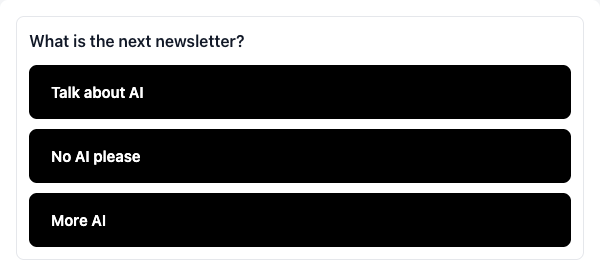
Full-width answers, stacked, left-aligned, all the same size. Use this for a
short list of choices.
## Yes / No
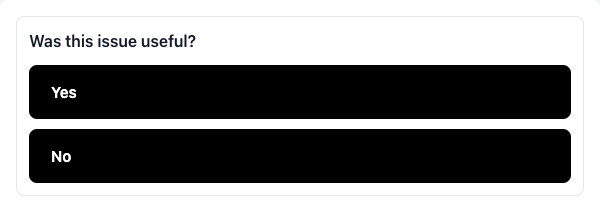
Two stacked answers. Same geometry as Buttons — Yes sits above No, both full
width. Switching to this style rewrites the first two answers as Yes / No and
keeps the rest saved if you switch back.
## Emoji
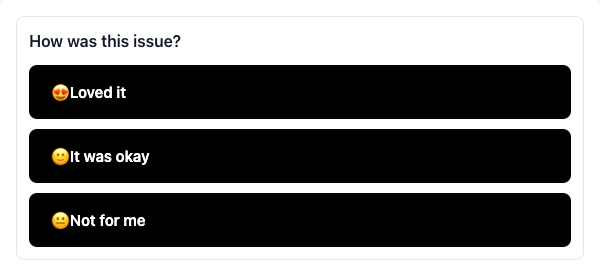
Same stacked buttons, with an emoji you pick printed in front of each label.
Only this style shows the emoji in the email.
## NPS
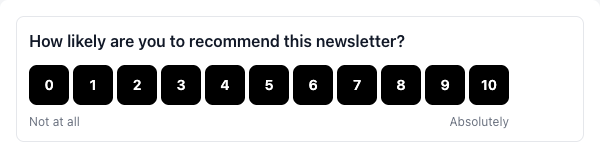
A fixed 0–10 scale, left-aligned with the question. The captions under 0 and 10
are yours; leave them blank to use the recipient's language.
## Block settings
Click the survey to open the toolbar.
| Setting | What it does | Default |
| ----------------- | ------------------------------------------------------------------------------------------------- | ------------- |
| **Style** | `Buttons`, `Yes / No`, `NPS`, `Emoji` | Buttons |
| **Comment** | Lets the recipient add a free-text note (up to 1000 characters) after they vote | Off |
| **Alignment** | `left`, `center`, `right` — moves the question and the NPS scale. Stacked answers stay full width | left |
| **Answer colors** | Button fill and label color | black / white |
| **Show if** | Hide the block unless the subscriber matches the tag conditions | always shown |
NPS only: two caption fields under the scale (`Not at all` / `Absolutely` in
the editor). Empty means "translate on the vote page". Max 60 characters each.
Cosmetic edits (colors, alignment, visibility) never mint a new survey version.
## Limits
| Thing | Limit |
| --------------- | ------------------------------------------------- |
| Answers | 2–8 (NPS is fixed at 0–10) |
| Question | 300 characters |
| Answer label | 120 characters |
| NPS captions | 60 characters each |
| Comment | 1000 characters |
| Merge fields | Not allowed in the question, answers, or captions |
| Inside a Repeat | Not allowed |
Answers land on the campaign's **Survey** tab, on each subscriber's timeline,
and in subscriber filters. A `subscriber.survey.answered` workflow trigger
fires on the first answer only.
Once a campaign is sent, its survey block is frozen. Duplicate the campaign to
ask a different question.
For filters, automations, the TipTap node, and the anti-bot vote path, see
[Surveys (reference)](/docs/features/surveys). Default NPS captions follow the
[organization language](/docs/features/language).