Build less. Write emails people want to read.
Write like it’s a document. Type / to add anything. Shape every detail to your brand. Let AI polish the words only when you ask.
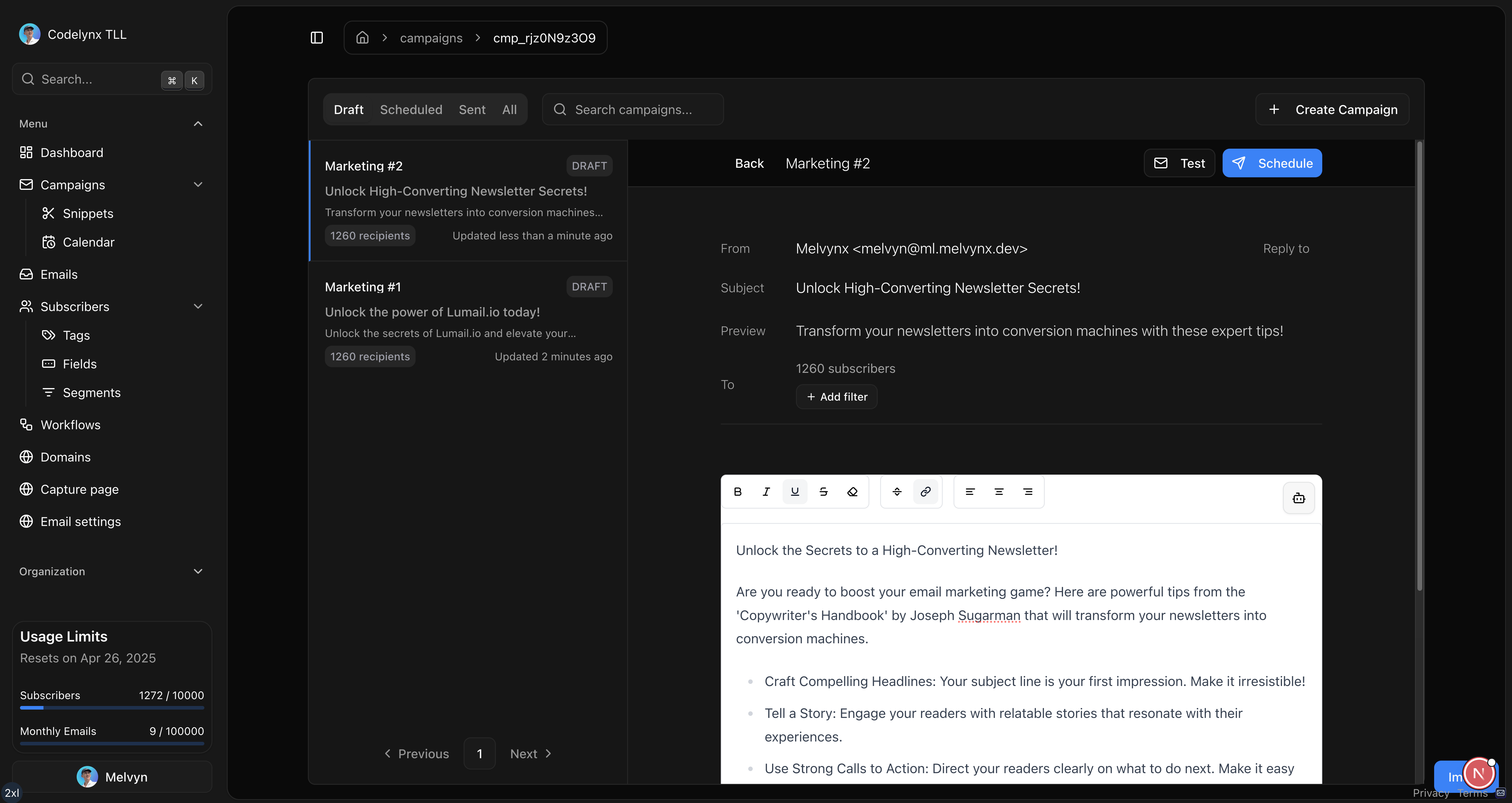
Most email builders make you think like a web designer.
You move boxes. Fight a template. Preview every tiny change. And somewhere along the way, you stop thinking about the one thing that matters: what you want to say.
Lumail gets out of the way, so your idea can become an email while it still has energy.
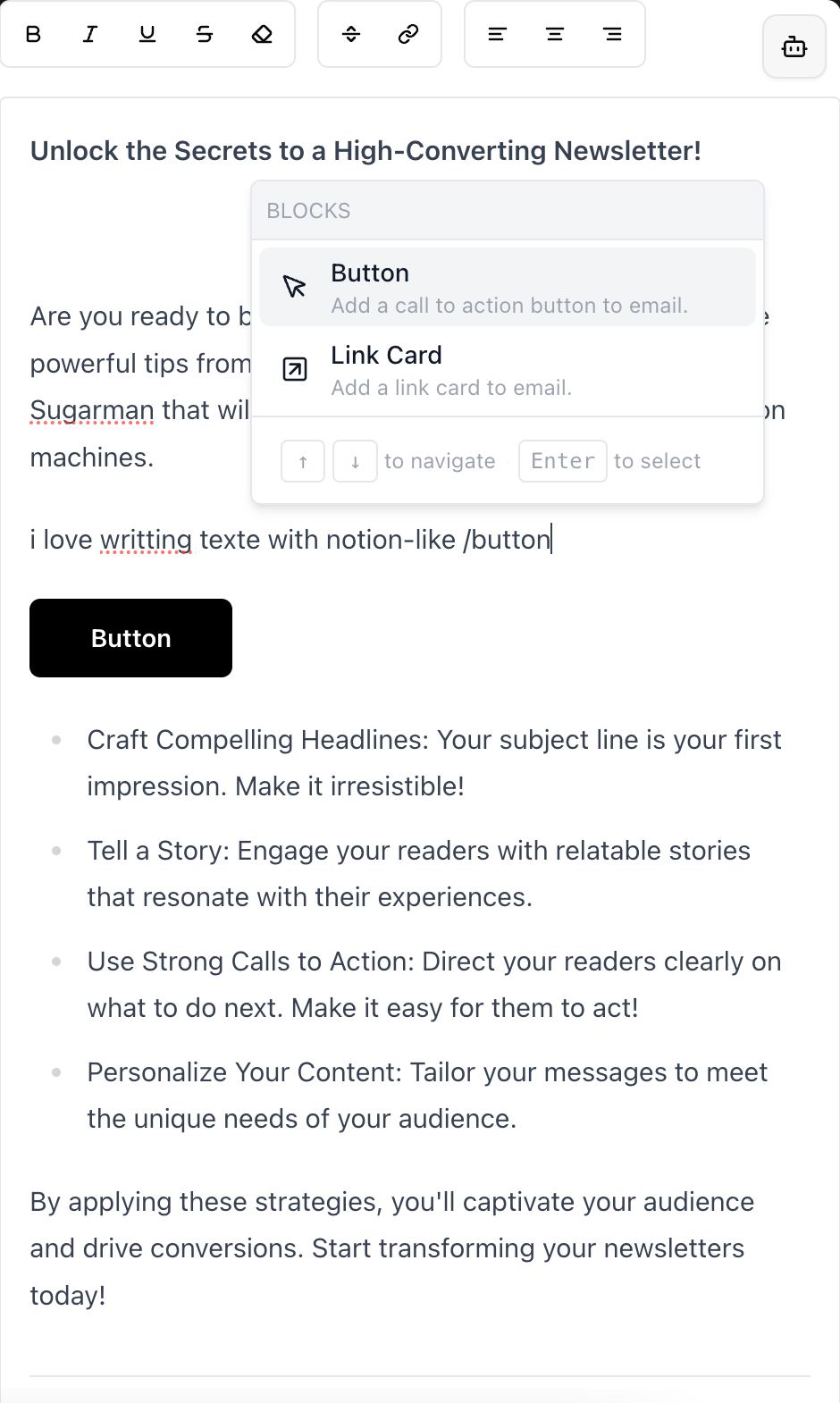
Type “/”. Keep your flow.
A button, an image, two columns, a saved snippet—everything is one command away. No block library covering your canvas. No detour through a settings maze.
Your brand. Not a template with your logo on it.
Tune the details that make an email feel like yours: text, highlights, buttons, borders, alignment, image size, radius, spacing, columns, headers, and footers.
Keep your voice. Lose the stuck sentence.
Improve the whole draft, clean up grammar, remove spammy phrasing, or select one line and tell AI exactly how to rewrite it. It helps. You decide.
Custom prompts are built into the editor.
One surface. Three simple moves.
Write
Start from a blank page, a previous campaign, or your own saved snippets.
Shape
Add blocks, personalize the content, and make every visual detail yours.
Send
Choose your audience, send a test, then schedule—without leaving the editor.
Everything between you and “send”.
Do I need to know HTML?
No. Lumail feels like writing in a document. Type, format, and add a block with the / command. The editor handles the email structure for you.
Can I match my brand?
Yes. Customize text and highlight colors, button fill, border and label colors, image sizing and alignment, spacing, columns, headers, and footers.
Is it only for plain-text newsletters?
No. Keep your email beautifully simple or add images, buttons, columns, link cards, videos, X posts, reusable snippets, and custom HTML when you need more control.
What can the AI actually do?
Use it to improve the full draft, fix grammar, reduce spammy phrasing, or rewrite only the text you select with your own prompt. You always keep the final say.
Can I personalize an email for each reader?
Yes. Insert subscriber variables and custom fields directly in your copy, then use conditional content when a message needs to adapt to tags or audience data.
Can I try the editor for free?
Yes. Lumail includes 3,000 emails per month on the free plan, and you can get started without a credit card.
Make the email. Not the template.
Open a blank page. Put down the idea. Let Lumail handle the mechanics between your words and their inbox.
Start writing for free3,000 emails / month · No credit card