Email Marketing for Course Creators: A Practical Guide
Learn email marketing for course creators with campaigns, automation tips, and software guidance to grow your list, sell courses, and engage students.
In this guide
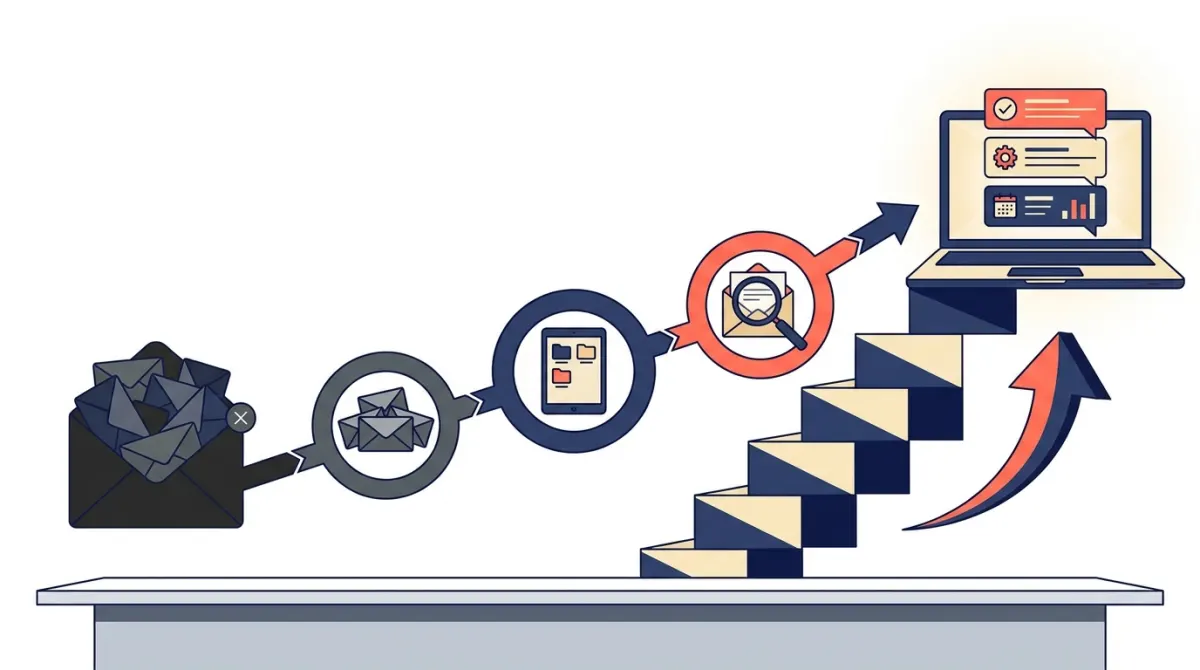
Email marketing for course creators works best as an owned, automated system that moves people from lead magnet to paying student to repeat buyer, not as a series of one off newsletters. The right approach combines a clear funnel, a small set of essential automations, and software that supports segmentation, deliverability, and (for technical founders) API or SMTP access. This guide walks through strategy, campaign types, software selection criteria, and optimization steps you can apply right away.
Why Email Marketing Matters for Course Creators
Email marketing for course creators is the one acquisition and retention channel you fully own. Social platforms, marketplaces, and search algorithms change constantly and can throttle your reach overnight. Your email list does not. Every subscriber who opts in has given you direct permission to reach their inbox, which makes email the most reliable path from "someone found my content" to "someone enrolled in my course" and, eventually, "someone bought my next course."
Owning Your Audience Instead of Renting It
Course platforms and marketplaces are built to sell their own traffic and their own upsells, not necessarily yours. When you build an email list alongside your course business, you create a durable asset that is independent of any single platform's policies, fees, or algorithm changes. This matters even more for SaaS founders and info-product creators who treat course sales as one revenue stream among several, since the same list can later promote a tool, a membership, or a cohort based program.
From Lead to Repeat Student
Course businesses rarely succeed on a single sale. The real economics come from students who finish one course and buy the next, or who upgrade from a free resource to a paid program. A well structured email sequence keeps your course top of mind between launches, nudges stalled students back into their lessons, and resurfaces your offer to people who were not ready to buy the first time. This is where email marketing for course creators stops being a broadcast tool and becomes a retention engine.
How to Build an Email Marketing Strategy for Your Course
Before picking tools or writing a single subject line, you need a strategy that maps your audience's journey from first contact to loyal customer. Skipping this step is the most common reason course creators end up with a list that opens emails but never buys.
Define Your Funnel Stages
Most course businesses can be organized into four stages: discovery, nurture, conversion, and retention. Discovery is how someone finds you (search, content, referrals). Nurture is the period where they get to know your expertise through free content. Conversion is the launch or evergreen sequence that turns interest into enrollment. Retention is everything that happens after purchase, including course completion and future offers.
Map Content to Each Stage
- Discovery: a lead magnet or short email course that solves one specific problem related to your paid course.
- Nurture: a recurring newsletter that teaches in public and builds trust before you ever pitch anything.
- Conversion: a launch sequence or an always on automation triggered when someone shows buying intent.
- Retention: onboarding emails, progress based nudges, and post completion offers.
Set Goals and Metrics That Actually Matter
Open rates and click rates are useful diagnostics, but they are not business outcomes. For a course business, the metrics that matter are list growth rate, enrollment rate per launch, course completion rate, and repeat purchase rate. Tie each campaign type back to one of these metrics so you can tell which emails are doing real work and which are just filling the calendar.
Essential Email Campaigns and Automations
Once the strategy is in place, a handful of recurring campaigns and automations do most of the heavy lifting. You do not need dozens of sequences, you need the right few, built once and refined over time.
Lead Magnet and Welcome Sequence
This is the first automation most course creators build. A new subscriber downloads a resource or joins a short email course, then receives a short series of emails that deliver value, introduce your story, and set expectations for what is coming next. The goal is trust, not an immediate sale.
Launch Campaigns
Launch emails announce an open enrollment window, build urgency around real deadlines, and answer common objections. These campaigns typically combine a broadcast to your whole list with a more targeted sequence for people who clicked but did not buy.
Onboarding and Completion Nudges
Once someone enrolls, a separate automation should welcome them into the course, point them to lesson one, and check in if they stall. This sequence directly affects completion rates, which in turn affects testimonials, referrals, and renewal decisions.
Retention and Upsell
After a student finishes (or stops progressing through) a course, a retention sequence can resurface complementary resources, invite them to a community, or introduce your next program. This is where a list built for email marketing for course creators starts compounding in value instead of going cold.
| Automation Type | Trigger | Primary Goal | Key Metric |
|---|---|---|---|
| Welcome sequence | New subscriber or lead magnet opt-in | Build trust and set expectations | Open and reply rate |
| Launch sequence | Enrollment window opens | Convert interest into sales | Enrollment rate |
| Onboarding flow | Purchase or enrollment event | Get students started | Lesson 1 completion |
| Progress nudge | No lesson activity for a set period | Re-engage stalled students | Course completion rate |
| Retention/upsell | Course completion or inactivity after purchase | Drive repeat purchases | Repeat buyer rate |
Many of these flows share a common structure: wait for an event, send a message, branch based on behavior. If you want to see how creators structure these sequences in practice, this collection on newsletter automation walks through real trigger and branch patterns you can adapt.
How to Choose Email Marketing Software for Course Creators
The market is full of general purpose email tools, but course creators have specific needs: tagging based on course enrollment and progress, automations that react to purchase and lesson events, and solid deliverability so launch emails actually land. For technical founders running their own SaaS or info-product business, there is an additional requirement: direct access to the sending layer through SMTP or an API, rather than being limited to a drag and drop editor.
Core Features to Look For
| Criterion | Why It Matters |
|---|---|
| Segmentation and tagging | Lets you separate leads, active students, and past buyers so each group gets relevant messages. |
| Event-based automation | Allows sequences to react to enrollment, purchase, or lesson completion rather than just time delays. |
| Deliverability | Determines whether launch and transactional emails reach the inbox instead of spam. |
| Reporting | Shows which campaigns actually drive enrollments, not just opens and clicks. |
| API/SMTP access | Gives developers control to trigger emails directly from their course platform or app. |
Developer and Technical Considerations
If you or your team can write code, look for a platform that offers both a marketing layer (campaigns, workflows, segments) and a transactional layer (SMTP relay, a REST API, or an SDK) under one roof. This avoids stitching together a marketing tool and a separate transactional email service, which creates duplicate subscriber data and inconsistent sending reputation. It is also increasingly common for AI agents and coding assistants to need direct access to your email data and sending logic, for example through a protocol like MCP, so that an agent can draft a sequence or query subscriber segments without you manually exporting data. Lumail is built around this exact combination: campaigns and workflows for marketing, SMTP and a TypeScript SDK or REST API for transactional and developer use cases, and MCP access for AI agents such as Claude Code, Codex, or ChatGPT. If you are evaluating options specifically for a course business, the email automation for course creators page outlines how these pieces fit together for that use case.
Questions to Ask Before Committing
- Can I trigger an automation from a lesson completion or purchase event, not just a time delay?
- Does the platform separate marketing sends from transactional sends, or are they mixed in one reputation pool?
- Can my developer connect directly through an API or SDK if the visual editor is not enough?
- Can I export my subscriber and tag data if I ever need to migrate?
- Does the vendor publish clear information about deliverability practices rather than vague promises?
Practical Campaign Examples and Optimization Tips
Strategy and software choice only pay off once they are applied to real sequences. Here is how the pieces come together in practice, along with a short checklist for improving results over time.
Example Campaign Flow for a Course Launch
- Pre-launch: send two or three value emails that introduce the problem your course solves, without pitching yet.
- Doors open: announce enrollment with a clear deadline and a direct link to purchase.
- Objection handling: address the two or three questions you hear most often from past students.
- Last call: a short reminder close to the deadline, segmented to exclude anyone who already purchased.
- Post-launch: trigger the onboarding sequence immediately for new students, and a "see you next time" email for everyone else.
Example Flow for Ongoing Student Engagement
Outside of launch windows, an always on automation can welcome new enrollments, check progress after a set number of days, and send a nudge if a student has not opened a lesson recently. Branching on behavior, rather than sending the same message to everyone, is what separates a basic drip from a system that actually improves completion rates. For a broader look at how these branching patterns work across different business models, the email automation category covers patterns you can adapt beyond course delivery.
Optimization Checklist
- Clean your list regularly: remove or re-engage subscribers who have not opened an email in a long time, since inactive addresses hurt deliverability.
- Test one variable at a time: subject line, send time, or call to action, so you know what actually moved the result.
- Segment before you broadcast: a message to "everyone" is rarely the best message for anyone.
- Tie campaigns to a specific metric: know in advance whether a given email is meant to drive opens, clicks, or purchases.
- Review automations quarterly: funnels that worked at launch can go stale as your audience and offers evolve.
- Separate transactional from promotional sends: purchase receipts and lesson reminders should not share a sending reputation with a one-off promotional blast.
Email marketing for course creators is not about sending more emails, it is about building a small number of reliable, event-driven sequences that match where each subscriber actually is in their journey, backed by software that gives you the segmentation, automation, and (when needed) developer access to make that journey run on its own.
Frequently asked questions
How should course creators segment their email list?
Segment subscribers by factors that affect their interests or readiness, such as the lead magnet they downloaded, course viewed, enrollment status, learning goals, and engagement with previous emails. Use these segments to send more relevant content instead of broadcasting every message to everyone. Keep the system manageable by starting with a few high-value groups, then add segments only when they support a clear communication or sales objective.
What should a welcome email sequence include for an online course audience?
A welcome sequence should deliver the promised resource, explain what subscribers can expect, and establish why your teaching is useful. It can also introduce your approach, address a common problem, share a practical lesson, and invite a low-friction reply or action. Keep each email focused on one purpose, and connect the sequence to the subscriber’s original interest so the transition from signup to future course communication feels natural.
How can email automation improve course completion?
Email automation can support completion by sending timely reminders, lesson prompts, progress-based encouragement, and help messages when learners may lose momentum. Messages can also direct students to review materials, submit work, or ask for assistance. Use enrollment or activity data where available, and avoid sending reminders for lessons a student has already completed. Helpful personalization is more useful than simply increasing message volume.
Do course creators need separate marketing and transactional email tools?
Not always. Marketing emails promote content, nurture prospects, and support launches, while transactional messages confirm actions such as enrollment, payments, password changes, or access details. Some platforms handle both categories, while others connect a course platform with a dedicated email service. Evaluate deliverability, integrations, automation controls, compliance features, and reporting before deciding. Confirm that the selected setup clearly separates promotional consent from essential account communications.
Which email metrics should course creators monitor?
Track metrics that connect email activity to a meaningful objective. Delivery failures can reveal list-quality problems, while clicks show whether the content and call to action are attracting attention. Monitor replies, unsubscribes, course-page visits, enrollments, and revenue when those events can be measured reliably. Compare performance by segment and campaign purpose rather than judging every email by one metric, and use the findings to refine content, targeting, and timing.
How often should course creators email their list?
Choose a frequency you can maintain while giving subscribers a clear reason to open each message. A consistent newsletter schedule may work for educational content, while automated messages can respond to signups, purchases, or learner activity. During a focused promotion, more frequent communication may be appropriate if expectations and consent support it. Watch engagement, replies, and unsubscribes, then adjust frequency when the audience shows signs of fatigue or undercommunication.
How can course creators write more effective subject lines and calls to action?
Use subject lines that accurately signal the email’s specific benefit, lesson, question, or next step. Keep the wording clear and relevant to the subscriber’s context instead of relying on vague hype. Inside the email, use one primary call to action that states what to do and why it matters, such as reading a lesson or practicing a skill. Test meaningful variations, and judge them alongside clicks and conversions, not opens alone.