Email Sunset Policy: A Practical Guide to List Hygiene
Learn how an email sunset policy protects deliverability, defines inactive subscribers, and automates re-engagement and suppression for a cleaner list.
In this guide
An email sunset policy is a set of rules that progressively reduce, then stop, marketing sends to subscribers who no longer open or click your emails. It protects sender reputation, keeps engagement metrics healthy, and gives inactive contacts one last chance to re-engage before they are suppressed or removed. For SaaS founders and developers sending their own email, a sunset policy is one of the simplest ways to improve deliverability without changing content or infrastructure.
What Is an Email Sunset Policy?
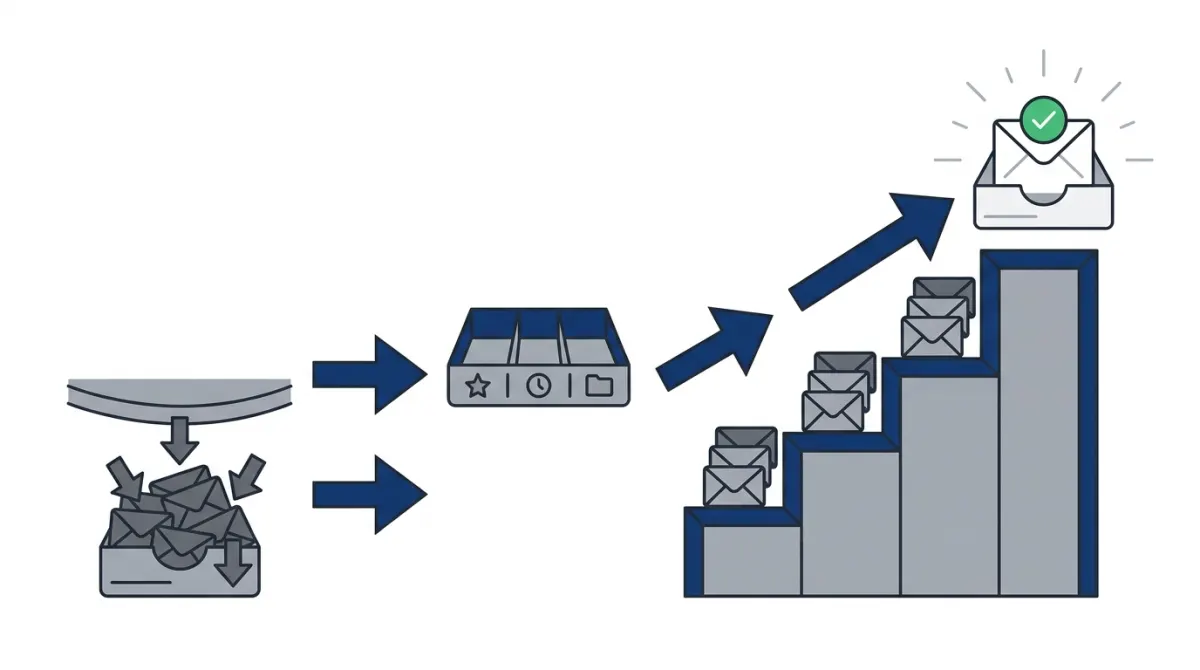
An email sunset policy is a documented, rules-based process for identifying subscribers who have stopped engaging with your emails and gradually scaling back how often you send to them, before suppressing or removing them from active sends entirely. The term borrows from the idea of a "sunset clause": a provision that automatically expires unless renewed. Applied to email marketing, it means a contact's active status expires unless they renew it by opening, clicking, or otherwise interacting with your messages.
In practice, a sunset policy is not a single action but a sequence of decisions tied to engagement thresholds. For example, a contact who has not opened an email in a defined period might first be moved into a lower-frequency segment, then targeted with a short re-engagement sequence, and finally suppressed if they remain silent. The exact thresholds depend on your sending volume, list size, and how your audience typically behaves, but the underlying logic is always the same: engagement earns continued sends, and sustained silence leads to reduced contact.
This matters because every mailbox provider, from Gmail to Outlook to smaller regional providers, builds a reputation score for your sending domain and IP based largely on how recipients treat your mail. A sunset policy is how you actively manage that score instead of letting it drift downward as your list ages.
Sunset Policy vs. List Cleaning
It is worth distinguishing a sunset policy from a one-off list cleaning. List cleaning is typically a manual or semi-automated purge, done occasionally, that removes bounced addresses, duplicates, or obviously inactive contacts. A sunset policy is ongoing and automated: it continuously monitors engagement and moves contacts through defined stages as part of your regular sending workflow. List cleaning is a snapshot; a sunset policy is a process.
Why Email Sunsetting Matters for Deliverability
Mailbox providers do not evaluate your emails in isolation. They evaluate patterns across your entire sending history: how many recipients open your mail, how many mark it as spam, how many simply ignore it for months at a time. When a large share of your list consistently ignores your emails, that pattern signals to filters that your mail may not be wanted, even by the people who do engage. The result is that messages start landing in spam or promotions folders for your entire list, not just the inactive portion.
This is why email sunsetting is fundamentally a deliverability strategy, not a list-size strategy. Removing unengaged contacts is not primarily about keeping your subscriber count low; it is about protecting the sending reputation that determines whether your emails reach anyone's inbox at all. A smaller, consistently engaged list almost always outperforms a larger, stale one on open rates, click rates, and inbox placement.
There are a few concrete mechanisms worth understanding:
- Engagement signals feed reputation algorithms. Opens, clicks, replies, and time spent reading an email all contribute positively. Repeated non-opens, especially across many consecutive sends, contribute negatively.
- Spam complaints compound the damage. Disengaged subscribers are statistically more likely to eventually mark an email as spam, especially if they have forgotten why they subscribed in the first place.
- Spam trap exposure increases over time. Old, abandoned addresses can be converted into spam traps by mailbox providers. Continuing to send to addresses that have been inactive for a long time raises your risk of hitting one.
- Authentication and infrastructure cannot compensate for poor engagement. Proper SPF, DKIM, and DMARC setup is necessary, but it does not offset the negative signal of a list full of disengaged recipients.
For teams managing their own sending infrastructure, understanding email deliverability fundamentals alongside sunset practices gives a fuller picture of why inbox placement fluctuates and what levers actually move it.
Who Needs a Sunset Policy Most
Any sender with a recurring newsletter, product update, or marketing campaign benefits from a sunset policy, but it is particularly important for:
- SaaS products with free trial or freemium signups, where a large share of the list never converts to active usage.
- Info-product creators running list-building campaigns, where lead magnets attract one-time downloaders who never engage again.
- Developers managing their own SMTP sending, where reputation issues are harder to diagnose without the monitoring tools a dedicated email service provides.
How to Build an Email Sunset Policy
Building a working sunset policy means defining engagement tiers, setting time-based thresholds for each tier, and deciding what action happens at each stage. There is no universal formula, but the structure below reflects how most senders approach it.
Step 1: Define What "Engagement" Means for Your List
Before you can sunset anyone, you need a clear, measurable definition of engagement. For most senders this includes opens, clicks, and replies, though open tracking has become less reliable due to privacy-protecting features in some mail clients. Many senders now weight clicks and replies more heavily than opens for this reason, or combine email engagement with other product signals such as logins or purchases when those are available.
Step 2: Segment Contacts by Engagement Recency
Once engagement is defined, split your list into tiers based on how recently each contact interacted with your emails. A simple structure looks like this:
| Tier | Engagement status | Typical action |
|---|---|---|
| Active | Opened or clicked recently | Continue normal send cadence |
| Lapsing | No engagement for a defined period | Reduce frequency, monitor closely |
| At risk | Extended inactivity | Trigger a re-engagement sequence |
| Dormant | No response to re-engagement attempts | Suppress from marketing sends |
The exact time windows for each tier should be calibrated to your own send frequency. A list that receives weekly emails will reach each tier faster, in terms of calendar time, than one that sends monthly.
Step 3: Separate Marketing Sends from Transactional Messages
A sunset policy applies to marketing and newsletter content, not to transactional messages such as password resets, receipts, or account notifications, which recipients still expect and need regardless of engagement history. Mixing the two in your sunset logic can accidentally block messages your users actually want. If your sending setup does not already separate these streams, it is worth routing transactional traffic through a dedicated transactional email API so that suppression rules built for marketing never touch account-critical mail.
Step 4: Give Lapsing Contacts a Fair Chance to Re-Engage
Before suppressing anyone, most sunset policies include a short re-engagement attempt. This can be as simple as a single email asking whether the subscriber still wants to hear from you, or a short series that highlights value they may have missed. The goal is not to win back every lapsed subscriber, but to give genuinely interested people a clear, low-friction way to confirm they want to stay.
Step 5: Suppress, Don't Just Delete
When a contact does not respond to re-engagement attempts, the usual next step is suppression rather than permanent deletion. Suppression keeps the contact on record as "do not send" without erasing historical data, which matters for compliance records and for avoiding accidental re-import of the same address later. Deletion can be appropriate for very old, bounced, or clearly invalid addresses, but suppression is generally the safer default for contacts who simply stopped engaging.
Step 6: Document the Policy and Review It Regularly
A sunset policy should be written down, not left as an informal habit. Document the engagement definition, the tier thresholds, the content of your re-engagement sequence, and the suppression rule. Review it periodically, since send frequency changes, audience composition changes, and mailbox provider behavior changes over time, all of which can shift what counts as a reasonable inactivity threshold.
How to Automate Re-Engagement and Suppression
Manually tracking engagement tiers across a growing list quickly becomes impractical, which is why most sunset policies rely on automation built into email marketing software. Automating the process means setting up triggers that move contacts between tiers, send re-engagement messages, and apply suppression tags based on defined rules, without requiring manual review of every contact.
Core Components of an Automated Sunset Workflow
- Trigger conditions: a time-since-last-engagement rule that moves a contact into the next tier.
- A re-engagement sequence: one or more emails designed specifically to prompt a click or reply, separate from your regular content.
- Branching logic: if the contact engages with the re-engagement sequence, they return to the active segment; if not, they move toward suppression.
- Tagging and suppression actions: automatic tags or list membership changes that exclude dormant contacts from future campaigns without deleting their record.
Workflow automation tools make this possible without manual intervention for every contact. Setting up newsletter automation that watches for inactivity and triggers the right sequence at the right time is the practical foundation of any sunset policy that needs to scale beyond a small list.
Example Automated Sequence
A simple automated sunset workflow might look like this:
- A contact reaches the inactivity threshold defined for your list and is tagged "lapsing."
- An automation sends a short re-engagement email asking if they want to keep receiving updates, with a clear, single call to action.
- If they click, they are tagged "re-engaged" and returned to the standard sending cadence.
- If they do not respond within a defined follow-up window, a second, final email is sent, often framed as a last check-in before reduced sends.
- If there is still no engagement, the contact is tagged "dormant" and automatically excluded from future marketing sends, while remaining in the system for record-keeping.
Because this logic depends on reliable engagement data and the ability to branch based on recipient behavior, the quality of your workflow automation matters as much as the policy design itself. For developers who prefer to manage this logic in code rather than exclusively through a visual builder, having API or SDK access to subscriber tags and workflow triggers makes it possible to integrate sunset logic directly into existing product or billing systems, rather than treating email engagement as a separate silo.
Monitoring the Policy Over Time
Once automation is in place, the work shifts from building the policy to monitoring its effects. Track how many contacts move through each tier, how many respond to re-engagement attempts, and whether your overall open and click rates improve after suppression takes effect. If re-engagement response rates are consistently very low, it may indicate that your thresholds are set too aggressively, or that the content of your re-engagement emails needs rework rather than the policy itself.
Lumail is built around this kind of workflow: subscribers and tags, automation triggers, and transactional sending are handled as connected parts of the same platform, so a sunset sequence can tag a contact, route them through a re-engagement workflow, and keep that logic separate from transactional traffic without extra integration work. Whether you build your sunset policy through a visual workflow builder or drive it programmatically through an API, the underlying principle stays the same: let engagement, not list size, decide who keeps hearing from you.
Frequently asked questions
Which subscribers should be considered inactive?
An inactive subscriber is someone who has not shown meaningful engagement during the period your organization defines in its email sunset policy. Consider opens and clicks carefully because automated activity can create misleading signals. Recent purchases, website visits, form submissions, app activity, customer-service interactions, and other consent-based actions may also indicate interest. Segment contacts by subscription type, buying cycle, and engagement history instead of applying one inactivity rule to every audience.
How long before a subscriber is considered inactive?
There is no universal inactivity period. Set the threshold according to your sending frequency, sales cycle, product usage pattern, and the expected buying interval for each audience. A daily newsletter may use a different standard from a service that sends occasional updates. Review the threshold using engagement and conversion data, document the rule in the email sunset policy, and adjust it when audience behavior or business goals change.
Should you email a subscriber before suppressing them?
Yes, a final re-engagement message can give an interested subscriber a clear opportunity to remain subscribed before suppression. Explain what the subscriber needs to do, offer a simple preference-management option, and make unsubscribing easy. Use a defined re-engagement sequence rather than repeated reminders. If the subscriber remains inactive after the sequence, suppress future marketing messages while retaining only the records needed for compliance, reporting, or legitimate customer-service purposes.
Can a sunset policy remove paying or transactional users?
It should not automatically remove every inactive contact. Paying customers, active account holders, and users who receive essential transactional or service messages need separate treatment from inactive marketing subscribers. Build exclusions for current customers, open support cases, legal or operational notices, and other required communications. Coordinate the policy with billing, product, and compliance teams so marketing suppression does not interrupt necessary account communication or alter customer records improperly.
What should you do with subscribers who re-engage?
Move a re-engaged subscriber out of the sunset workflow promptly and restore only the communications they are authorized to receive. Record the engagement event, confirm applicable consent and preferences, and place the contact in a relevant segment rather than returning them to every campaign. Monitor subsequent activity because a single click may not demonstrate sustained interest. If the contact was already suppressed, use a controlled re-entry process that respects the original suppression reason.
When should you review IP and domain health?
Review IP and domain health regularly and whenever email performance changes unexpectedly, especially after major list imports, sending-volume increases, authentication changes, or a new automation launch. Examine bounce rates, complaint rates, blocks, authentication results, and provider feedback alongside engagement data. A sunset policy supports healthier lists, but it cannot replace technical monitoring. Investigate the cause of deterioration before changing suppression rules or increasing send volume.