Lumail vs Kit: Which Email Platform Fits How You Work?
Compare a send-volume-priced Kit alternative with Kit's subscriber tiers, current MCP tools, automations, transactional email, and creator commerce.
In this guide
Lumail is a Kit alternative that does not charge per subscriber: it stores unlimited subscribers on every plan and prices by delivered email volume. Kit prices paid plans by active-subscriber tier. Both products now expose email operations through MCP, so the decision is no longer “AI access or no AI access”; it is which pricing model, creator ecosystem, tool scope, and delivery boundary fit your work.
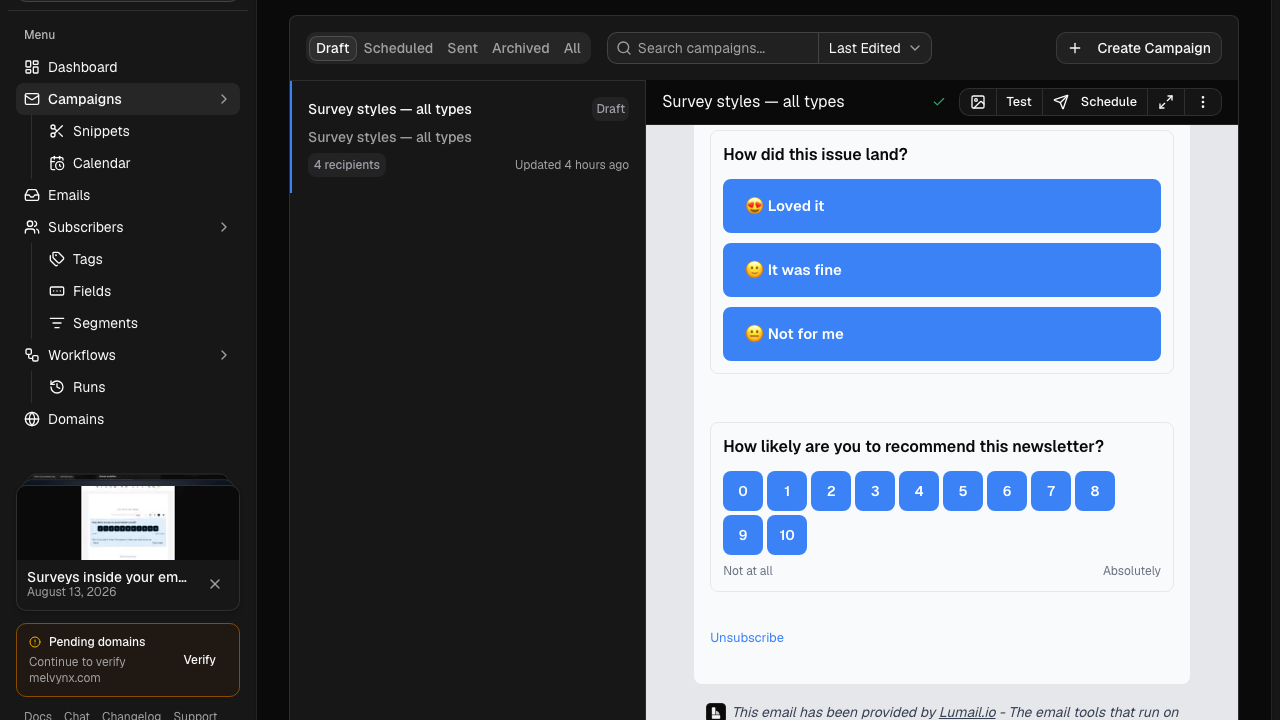
Kit, the platform formerly known as ConvertKit, is built for creators monetizing an audience through paid newsletters, digital products, recommendations, and a creator profile. Lumail is built so people and AI agents can operate newsletters, graph-based workflows, subscribers, and transactional email through one organization.
The right choice depends on who, or what, does the work every week. This comparison uses public product information checked on August 14, 2026. Check each pricing and MCP page before purchasing because plans, limits, and tool catalogs change.
Lumail vs Kit at a glance
| Decision | Lumail | Kit |
|---|---|---|
| Core focus | Newsletters, workflows, transactional email, and AI-agent operations | Creator newsletters, monetization, and audience growth |
| AI and developer access | 89-tool full catalog; OAuth plugin, API-token MCP, CLI, TypeScript SDK, REST API | 65+ tool Kit MCP on paid plans, plus API and integrations |
| Pricing basis | Email volume, with unlimited subscribers on every plan | Subscriber-tier pricing |
| Free plan | 3,000 emails per month, no credit card | Up to 10,000 subscribers and unlimited broadcasts |
| Automation | Graph-based workflows on every surface | One basic automation on Free; unlimited on Creator |
| Transactional email | Built in through API or SMTP in the same organization | Not positioned as a transactional email API |
| Publishing | Capture pages and web domains for acquisition | Creator profile, landing pages, forms, and paid products |
| Best fit | Teams and agents that operate email as a programmable system | Creators monetizing newsletters, recommendations, and digital products |
Kit's current plans and limits come from its official pricing page. Lumail's current plans are on the Lumail pricing page. For a condensed version of this table, see the side-by-side comparison table.
Compare the MCP workflow, not the AI label
Both products can put real email operations inside Claude, ChatGPT, Cursor, and other compatible clients. The structural difference is how much is exposed, on which plan, and where consequential actions are confirmed.
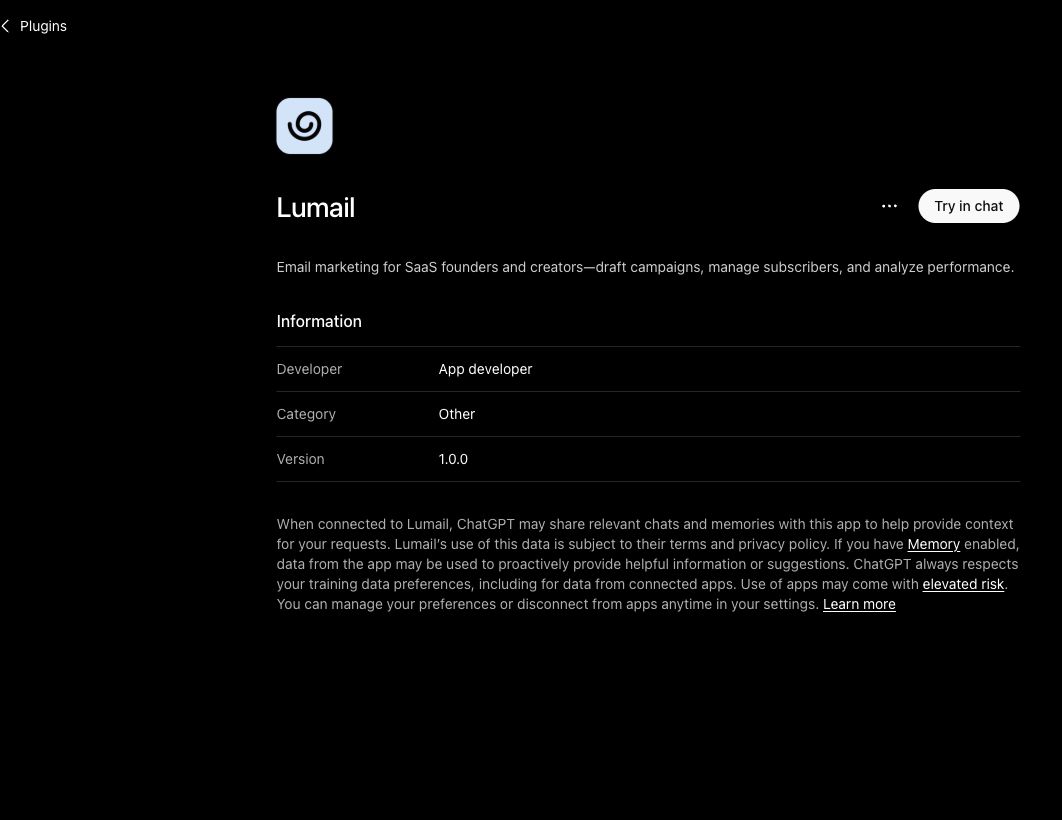
Lumail's full catalog contains 89 organization-scoped tools across campaigns, subscribers, tags, segments, workflows, capture pages, domains, transactional email, and analytics. The API-token MCP and CLI reach the broad operational surface. The OAuth plugin for Claude Code, Codex, and ChatGPT is intentionally narrower: it exposes reads and safe draft writes, but not send, schedule, publish, unsubscribe, or delete tools.
Kit documents a 65-plus-tool OAuth MCP for all paid plans. It can inspect account and audience data, manage subscribers and tags, draft broadcasts, work with sequences, and analyze performance. Open-world or destructive actions such as sending a broadcast return a deep link so the user confirms the action in Kit. Kit Free users can connect a client and inspect availability, but tool execution prompts for an upgrade.
Concretely, an agent can:
- draft a campaign from a brief and leave it for human review;
- segment subscribers by tags or behavior before a send;
- inspect the rendered email and report what a recipient will actually see;
- build or modify a graph-based workflow;
- summarize campaign results back into whatever tool your team already lives in.
Lumail keeps its visual editor and dashboard as final control surfaces, while the CLI provides a visible terminal path for full operations. Kit keeps its app in the confirmation loop for consequential MCP actions. Neither model is universally better: test the exact client, draft, audience, confirmation, and reporting flow your team repeats.
Kit's current details come from its official MCP setup guide and MCP tool reference. Lumail's connection profiles are documented in the AI integration guide.
Choose Kit if monetization is the center of your business
Kit is a creator business platform first. It offers paid newsletters, digital products, a recommendations network that helps newsletters grow each other, landing pages, forms, and a creator profile. If selling directly to your audience is central to how you earn, those tools are the product, not extras.
Kit's free plan is also genuinely generous for newsletters: up to 10,000 subscribers with unlimited broadcasts, as of August 14, 2026. A creator who mostly writes and sends, and only needs one basic automation, can run on Kit Free for a long time. Unlimited automations require the paid Creator plan.
Lumail provides capture pages and web domains for subscriber acquisition, but it does not offer paid subscriptions, digital product sales, or a recommendation network. If those are requirements, Kit is the better fit today.
Compare the pricing model, not only the starting price
Pricing is the second differentiator, and the models are structurally different.
Kit prices by subscriber tier. The free plan covers up to 10,000 subscribers with unlimited broadcasts; the paid Creator plan starts at $33 per month billed annually for 1,000 subscribers, and the price rises with list size. Storing a subscriber is what moves you between tiers, regardless of how often you email them.
Lumail prices by email volume and never charges for stored subscribers:
- Free: 3,000 emails per month, no credit card;
- Premium: $20 per month with 40,000 emails included, then $0.60 per 1,000;
- Business: $200 per month with 400,000 emails included, then $0.40 per 1,000.
A worked example
Take a list of 50,000 stored subscribers that receives one targeted campaign per month to a 10,000-person segment.
On Lumail, that is 10,000 emails per month: Premium at $20, with 30,000 of the 40,000 included emails still unused for workflows and transactional messages. The other 40,000 stored subscribers cost nothing until you email them.
On Kit, 50,000 subscribers is well past the 10,000-subscriber free cap, so you are on a paid subscriber tier sized to the full stored list, even though 80 percent of it received nothing that month. Check the Kit pricing page for the exact tier price at your list size.
Now invert the scenario: a 1,000-subscriber list with a weekly newsletter is roughly 4,500 emails per month. That exceeds Lumail's free 3,000, so you would pay $20 for Premium, while Kit Free covers it entirely if one basic automation is enough. Kit's model favors small lists with high engagement; Lumail's model favors large stored audiences contacted selectively.
The honest way to decide is to model a normal month, a launch month, and your expected list size twelve months from now, then price both platforms against those three numbers.
Compare automation depth
Kit offers visual automations: one basic automation on the free plan, unlimited on Creator. For welcome sequences and product launches, that covers the common creator cases.
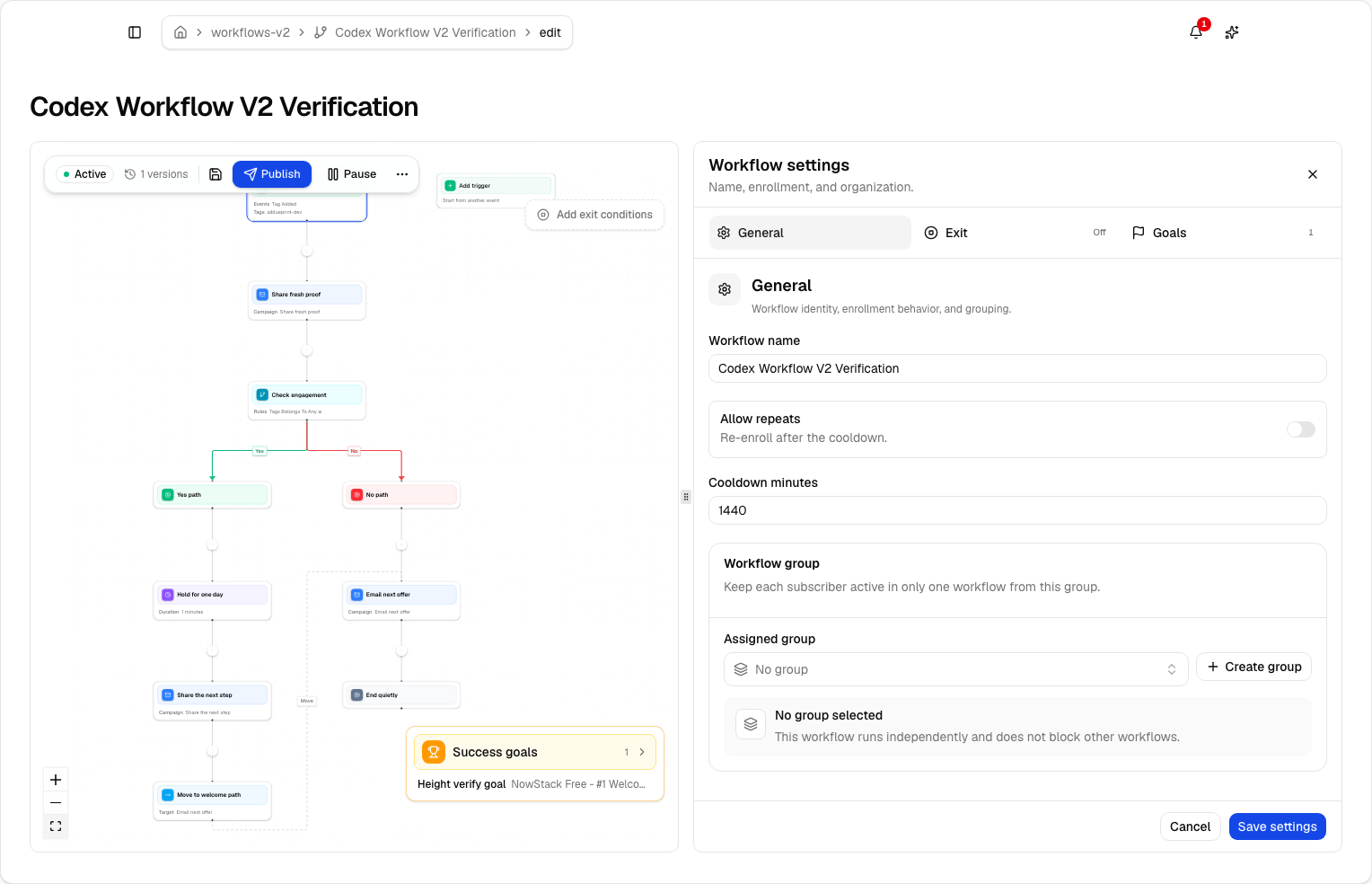
Lumail uses a graph-based workflow engine on every plan and every surface:
- subscriber, tag, event, schedule, and manual triggers;
- email, wait, action, and webhook steps;
- condition, event, and weighted branches;
- goals, exit rules, and A/B paths;
- the same workflows editable in the app, through MCP tools, the CLI, the SDK, and the API.
The practical difference shows up in debugging. When a subscriber asks why they did or did not receive a sequence, an inspectable graph with run traces answers that question faster than replaying an automation by hand, and an agent can answer it for you.
Compare transactional email
Kit is not positioned as a transactional email API. If your product sends receipts, magic links, or account notifications, you would run a separate transactional provider next to Kit and manage two platforms, two domains or subdomains, and two reputations.
Lumail includes transactional email in the same organization as campaigns and workflows. You can send through the REST API, the SDK, agent tools, or the SMTP relay at smtp.lumail.io on port 587 with STARTTLS. Transactional messages carry their own priority semantics, so a password reset does not queue behind a newsletter batch. See the SMTP documentation and transactional email vs marketing email for the details.
If you only publish a newsletter, this difference may not matter. If you also ship a product, it collapses two vendors into one.
Which platform should you choose?
Choose Lumail when your priority is:
- AI agents operating campaigns and workflows directly, through 89 MCP tools, a CLI, an SDK, and a REST API;
- a transactional email API or SMTP relay beside your newsletter;
- a list that is large relative to how often you send, priced by email volume;
- inspectable graph-based workflows available on every plan;
- one organization for marketing, lifecycle, and product email.
Choose Kit when your priority is:
- paid creator products at the center of your business;
- Kit's recommendation network for audience growth;
- a creator-specific profile and commerce workflow;
- a paid MCP that keeps consequential confirmation in the Kit app;
- a generous free newsletter plan for lists up to 10,000 subscribers.
Neither list makes one product better in the abstract. Kit is optimized for a creator selling to an audience. Lumail is optimized for a team, or an agent, operating email as a system.
A low-risk migration plan
If you are moving from Kit, prove the operation before moving the full audience.
1. Export clean subscriber state
Export active subscribers, unsubscribes, cold or bounced addresses, tags, and custom fields from Kit. Import suppressions as well as actives; historical exclusions protect deliverability and compliance.
2. Authenticate a controlled sending identity
Configure SPF and DKIM, verify your sending domain, and decide whether the From address changes. Keep Kit live while DNS propagates and tests run.
3. Rebuild one sequence that matters
Recreate your welcome sequence or launch automation as a Lumail workflow: trigger, messages, waits, branches, goal, exit. Run a success path, a negative path, and an early-exit scenario with test subscribers before pointing real signups at it.
4. Send one representative campaign
Use a consented segment with normal engagement. Verify personalization, rendering, links, unsubscribe behavior, and the recipient estimate before scheduling.
5. Test the agent loop on both products
Connect each platform to the assistant or editor you actually use. Have it create the same campaign draft, reproduce the same audience, inspect the final result, and walk through the delivery confirmation. Compare successful steps, manual handoffs, safety boundaries, and reporting—not only the number of advertised tools.
Frequently asked questions
Is Lumail a Kit alternative that doesn't charge per subscriber?
Yes. Lumail stores unlimited subscribers on every plan and prices by delivered email volume. Kit prices paid plans by active-subscriber tier. Model a normal month and a launch month on both pricing pages before you switch.
Is Lumail cheaper than Kit?
It depends on list size and send frequency. A large list you email selectively usually costs less on Lumail. A small list on Kit Free, with unlimited broadcasts and one basic automation, can cost less than Lumail Premium. Run the numbers; do not trust a generic "cheaper" claim.
What is the main difference between Lumail and Kit?
Kit is a creator business platform: paid newsletters, digital products, recommendations. Lumail is an email operating system: campaigns, graph workflows, transactional email, and 89 MCP tools that agents can drive.
Can I migrate from Kit to Lumail?
Yes. Export a controlled subscriber sample, authenticate your sending domain, rebuild one sequence as a workflow, send one campaign, then test the agent loop on both products before moving the full list.
Try the workflow that matters most
Before deciding, reproduce one real week of work on each platform: import a controlled list, draft a campaign, build one automation, and measure the steps you would repeat every send.
For a launch-first migration, use the Kit launch-list playbook. For the agent workflow, follow the Claude Code email MCP playbook or send a newsletter from Cursor.
Every playbook points to the same source of truth: the seven prompts that run a newsletter.
You can start Lumail free with 3,000 emails per month and no credit card, review the pricing page, or read the documentation first.
Still evaluating the market? Browse the email platform pricing and comparison hub for Mailchimp, MailerLite, beehiiv, Substack, Brevo, ActiveCampaign, Loops, Buttondown, and Resend.