Lumail vs Sender: Which Email Platform Fits How You Work?
Sender prices by subscribers, with a generous free plan and SMS. Lumail prices by emails sent, with unlimited subscribers and 89 MCP tools. Compare costs.
In this guide
Sender is an affordable email, SMS, and landing-page platform for small businesses, priced by subscriber tier with a Free Forever plan for 2,500 subscribers; Lumail is an email platform priced by emails sent, with unlimited subscribers on every plan and 89 MCP tools so AI agents can operate it.
Both include visual automations and transactional email on every plan, including free, so the choice comes down to two things: how your bill should grow, and how much of the work you want agents to do. Sender facts in this comparison come from its official pricing page as of August 2026; verify current limits before purchasing, because plans change. For the compact version, see the side-by-side comparison table.
Lumail vs Sender at a glance
| Decision | Lumail | Sender |
|---|---|---|
| Core focus | Campaigns, workflows, transactional email, and AI-agent operations | Affordable email, SMS, forms, and landing pages for small businesses |
| Pricing basis | Email volume; unlimited subscribers on every plan | Subscriber tiers, each with a monthly email cap |
| Free plan | 3,000 emails per month, unlimited subscribers, no credit card | 2,500 subscribers and 15,000 emails per month, with Sender branding |
| Paid entry | Premium: $20/month with 40,000 emails included | Standard: $10/month for 1,000 subscribers and 12,000 emails |
| AI and developer access | 89 MCP tools, ChatGPT app, CLI, TypeScript SDK, REST API | Remote MCP with about 40 tools and a REST API; no CLI or SDK |
| Automation | Graph workflows on every plan | Visual workflows on every plan, including Free |
| Transactional email | API or SMTP in the same organization as campaigns | API or SMTP on every plan, sharing the monthly email allowance |
| Best fit | Teams running email through agents, code, and a visual app | Small shops wanting email, SMS, and landing pages at low cost |
Lumail's current plans are on the Lumail pricing page.
Choose Lumail if AI agents should operate your email
Sender has a real agent surface. Its remote MCP server, documented for Claude, ChatGPT developer mode, and Cursor, offers about 40 tools for subscribers, groups, segments, campaign drafts, and workflows, and it is deliberately draft-first: campaigns created there never send on their own. Alongside it sits a REST API, but no official CLI or TypeScript SDK.
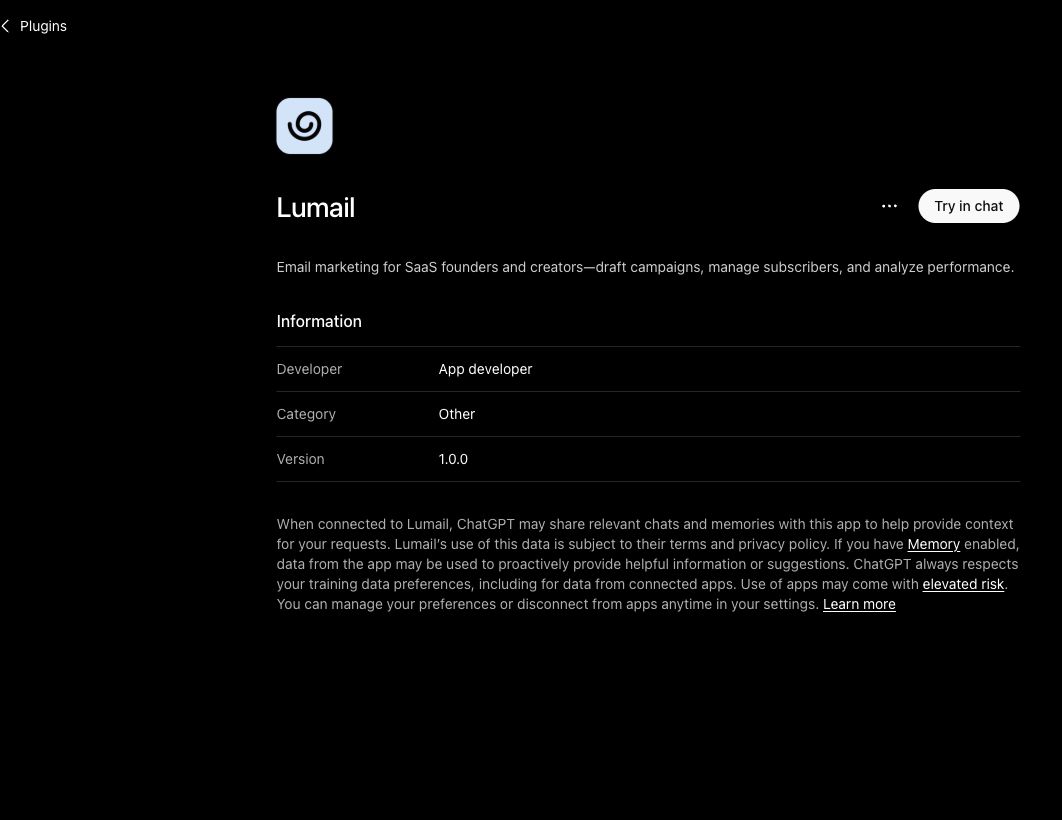
Lumail goes further on breadth. Its 89 organization-scoped MCP tools cover campaigns, subscribers, tags, segments, workflows, templates, analytics, and transactional sending. The same operations run in ChatGPT, Claude, Claude Code, and Cursor, and through a CLI, a TypeScript SDK, and a REST API, so the assistant in your chat and the code in your product work on the same organization.
In practice that means you can ask an assistant to:
- draft next week's newsletter from an approved brief and send a test;
- segment subscribers by tag or engagement before a promotion;
- build a welcome workflow and explain why a subscriber took a specific branch;
- send a transactional email from a template while you test checkout;
- summarize last month's campaign results without exporting a CSV.
In Lumail's ChatGPT app, sending and scheduling stay with a human, much like Sender's draft-first approach.
The second difference is how list growth affects the bill. On Sender, adding subscribers moves you up the slider even if you email them rarely. On Lumail, a bigger list costs nothing until you send to it.
Choose Sender if you want an all-in-one kit for a small business
Sender's free plan is one of the few in the category that is genuinely usable: 2,500 subscribers, 15,000 emails a month, automations, transactional email, signup forms, popups, and landing pages, with no credit card. Paid plans add SMS, unlimited landing pages, custom domains, and removal of Sender branding, starting at $10 a month.
It is also built for stores. Native integrations with Shopify, WooCommerce, and PrestaShop power abandoned-cart and purchase workflows and ecommerce reports.
Choose Sender if:
- you want SMS, popups, and landing pages in the same dashboard as email;
- a $0 plan with 2,500 subscribers, 15,000 emails, and automations covers your needs;
- you run a Shopify, WooCommerce, or PrestaShop store and want ready-made cart and purchase workflows.
Lumail has no SMS, no popups, and is not a website builder. It provides capture pages for list growth, and its center of gravity is the operating layer around email: audiences, workflows, delivery, and programmable access.
Compare the pricing models, not the starting prices
Sender prices by active subscribers. Each Standard tier includes 12 emails per subscriber per month; Professional includes 24. Standard costs $10 a month at 1,000 subscribers, $19 at 2,500, $33 at 5,000, $57 at 10,000, and $227 at 50,000. Professional starts at $20 for 1,000 subscribers. Paying annually takes 30% off the first year, which is why you will see $7 quoted for Standard. On Free, going over 2,500 subscribers blocks campaign sends, even if the campaign targets fewer people.
Sender also sells pay-as-you-go credit packs with unlimited subscribers, from $29 for 5,000 emails, but without SMS or advanced automation.
Lumail prices by emails sent, with unlimited subscribers on every plan:
- Free: 3,000 emails per month, no credit card;
- Premium: $20/month with 40,000 emails included, then $0.60 per 1,000;
- Business: $200/month with 400,000 emails included, then $0.40 per 1,000.
A worked example
Say you have 10,000 subscribers and send two campaigns a month to the full list, so 20,000 emails.
On Sender, 10,000 subscribers puts you on Standard at $57 a month. That tier allows up to 120,000 emails, so you are paying for sending capacity you do not use. On Lumail, 20,000 emails fits inside Premium, so the month is $20.
The picture flips for a small list you email often. With 2,500 subscribers and five campaigns a month, 12,500 emails, Sender's Free plan costs $0 while Lumail Premium costs $20. Sender is the better deal for small, busy lists; Lumail is the better deal once the list outgrows how often you email it.
Compare automation and transactional email
Sender's visual workflows are available on every plan, including Free. They can start when someone joins or leaves a group, on a date or anniversary, on a link click, an abandoned cart, a purchase, a fulfilled order, an unsubscribe, a field update, or an API event. Steps include email, SMS, delays, conditions, actions, and splits, with some multichannel features reserved for Professional.
Lumail's workflow engine is graph-based and included on every plan: subscriber, tag, event, schedule, and manual triggers; email, wait, action, and webhook steps; condition and weighted branches; goals and exit rules. It has no SMS steps, but every workflow is readable and editable from the app, MCP tools, CLI, SDK, and API, so an agent can draft one or explain a run.
Both send transactional email on every plan. Sender uses a REST API or SMTP, and those emails share the plan's monthly allowance with campaigns. Lumail sends through the REST API or the SMTP relay at smtp.lumail.io:587 with STARTTLS, with its own priority so account email does not queue behind a newsletter batch.
Migrating from Sender to Lumail
- Export subscribers and suppressions. Export subscribers with their groups, plus unsubscribed and bounced contacts, and import both actives and suppressions into Lumail.
- Map groups to tags. Turn Sender groups into Lumail tags or segments so your targeting carries over.
- Authenticate your sending domain. Add SPF and DKIM for Lumail and verify the domain. Keep Sender live while DNS propagates.
- Rebuild workflows. Recreate each workflow as a Lumail graph. Store-driven triggers such as abandoned cart need your store or backend to send events to Lumail. Test with test subscribers.
- Move transactional email and connect your agent. Point transactional sends at Lumail's API or
smtp.lumail.io:587, decide where SMS and landing pages will live, then connect Lumail's MCP tools to your assistant and hand it one real task.
Frequently asked questions
Is Lumail a Sender alternative?
Yes, for campaigns, automations, and transactional email. If you depend on SMS, popups, or Sender's landing pages, Lumail does not replace those.
Is Lumail cheaper than Sender?
It depends on list size versus sending. A large list you email a few times a month is usually cheaper on Lumail, such as $20 versus $57 at 10,000 subscribers; a small list you email often can stay free on Sender.
What is the main difference between Lumail and Sender?
Sender prices by subscribers and bundles SMS, forms, and landing pages. Lumail prices by emails sent, stores unlimited subscribers, and gives agents 89 MCP tools plus a CLI and SDK.
Can I migrate from Sender to Lumail?
Yes. Export subscribers and suppressions, map groups to tags, authenticate your domain, and rebuild workflows; there is no one-click importer, and SMS and landing pages need a new home.
Which one should you choose?
Choose Sender if you run a small business or store and want email, SMS, popups, and landing pages in one inexpensive dashboard, especially if your list fits inside its generous free plan.
Choose Lumail if your list is growing faster than your sending, or if you want agents and code to run your email program: unlimited subscribers, graph workflows and transactional email in one organization, 89 MCP tools, and 40,000 emails included for $20 a month.
You can start Lumail free with 3,000 emails per month and no credit card, review the pricing plans, or browse the full comparison hub.