Plain Text vs HTML Email: Which Format Should You Use?
Compare plain text vs html email formats, weigh deliverability, engagement, accessibility, and design, then choose the right option for each campaign.
In this guide
Plain text emails feel personal and load instantly everywhere, while HTML emails let you brand your message with layout, images, and buttons. The right choice in the plain text vs html email debate depends on your goal: use plain text for transactional notices and personal outreach, and HTML for newsletters, promotions, and visually driven campaigns.
Plain Text vs HTML Email: What Is the Difference?
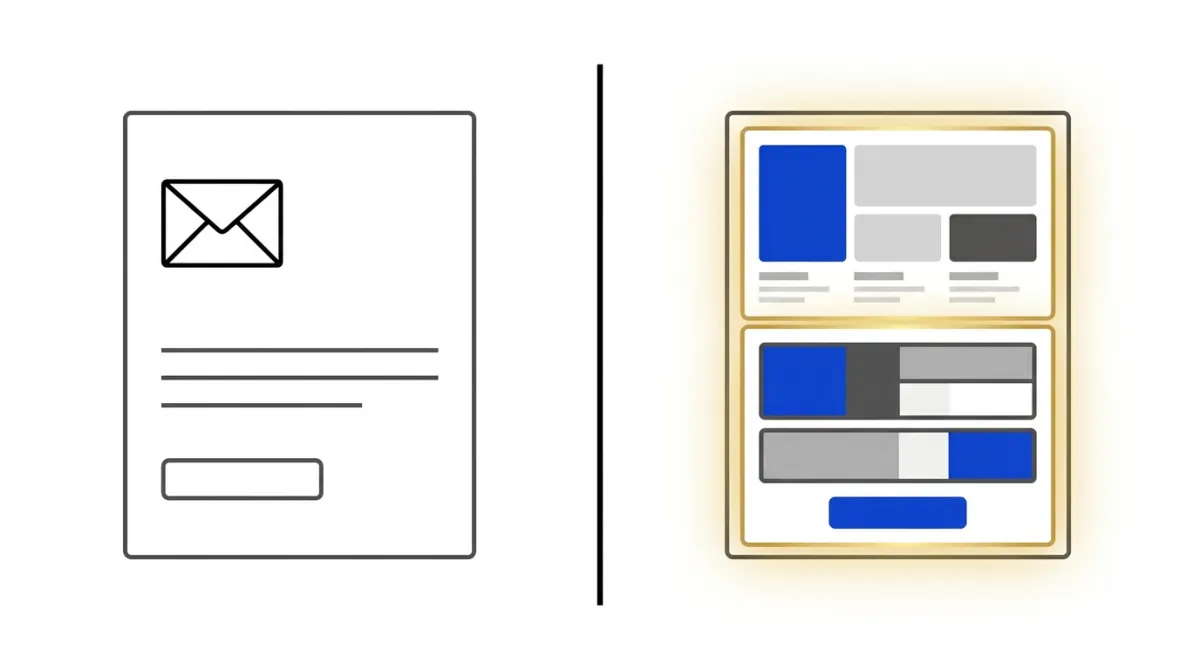
The plain text vs html email question comes down to how a message is coded and rendered in the recipient's inbox. A plain text email contains only characters: no bold, no colors, no images, no buttons. Links appear as full URLs rather than clickable anchor text, and the layout is whatever the reader's own email client applies by default. There is nothing to design because there is nothing to render beyond the words themselves.
An HTML email is built with markup, similar in spirit to a simple web page. It can include a logo, a colored header, columns, custom fonts, embedded images, and a clickable call-to-action button. Because HTML emails are coded, they also require more care: broken tags, oversized images, or missing alt text can change how the message looks or even trigger spam filters in some inboxes.
Both formats can include tracking pixels and links, and most sending platforms generate a plain text fallback automatically whenever you send an HTML campaign. This is usually done through a multipart message, where the email client picks whichever version it supports and displays. Here is a quick side-by-side look at the core differences:
| Characteristic | Plain Text Email | HTML Email |
|---|---|---|
| Visual design | None, text only | Colors, images, buttons, custom layout |
| Links | Displayed as full URLs | Clickable anchor text and buttons |
| File size | Very small | Larger due to markup and images |
| Rendering consistency | Consistent across almost all clients | Varies by email client and device |
| Perceived tone | Personal, conversational | Branded, professional, marketing-oriented |
Neither format is inherently "better" from a deliverability standpoint. What matters more is whether the email is properly structured, whether it matches what the recipient expects to receive, and whether the sending domain is correctly authenticated. The format itself is a tool, not a guarantee.
Plain Text vs HTML Email: Pros and Cons
Choosing between formats means weighing what each one is good at and where it falls short. The table below summarizes the main trade-offs before we look at the goal-based recommendations.
| Factor | Plain Text | HTML |
|---|---|---|
| Design flexibility | None | Full control over layout and branding |
| Feels personal | Yes, resembles a one-to-one message | Can feel like a broadcast or ad |
| Measuring clicks precisely | Limited, relies on raw links | Easier with styled, trackable buttons |
| Accessibility | Reads well with screen readers by default | Requires alt text and careful markup to stay accessible |
| Maintenance effort | Minimal, write and send | Requires template testing across clients |
Plain Text: Strengths and Limitations
Plain text works well when the goal is to sound like a real human wrote the email. It is the natural choice for one-to-one style outreach, short product updates, and any message where a polished design would feel out of place or overly salesy. Because there is no markup to break, plain text also renders identically across virtually every email client and device, including older or text-only readers.
The trade-off is a lack of visual hierarchy. You cannot highlight a price, insert a product screenshot, or guide the eye toward a single call-to-action button. Long plain text emails can also become hard to scan, since the only tools available are line breaks and short paragraphs.
HTML: Strengths and Limitations
HTML gives you full creative control: brand colors, a header image, a responsive layout for mobile, and buttons that make the next action obvious. This is especially useful for promotional campaigns, product announcements, and any email where visual proof (a screenshot, a chart, a product photo) supports the message.
The downside is complexity. HTML emails need to be tested across multiple inboxes because rendering engines (Gmail, Outlook, Apple Mail, and others) interpret CSS differently. A template that looks great in one client can appear broken in another, and heavy images without a text fallback can hurt readability for recipients who have images disabled by default.
Which Format Works Best for Each Email Goal?
Rather than picking one format for your entire sending program, it helps to match the format to the purpose of each message. The table below outlines common email goals and the format that typically serves them best.
| Email Goal | Recommended Format | Why |
|---|---|---|
| Transactional notifications (receipts, password resets, confirmations) | Lightweight HTML or plain text | Clarity and speed matter more than design; the message must be instantly understood |
| Onboarding and lifecycle emails | Simple HTML | Benefits from a clear structure and a single call-to-action, without heavy branding |
| Newsletters and content digests | HTML | Multiple links, sections, and visuals need layout to stay readable |
| Promotional campaigns and launches | HTML | Visual impact and a prominent button drive clicks and conversions |
| Personal outreach or founder-to-user updates | Plain text | Feels authentic and avoids the "marketing blast" impression |
For SaaS founders and developers, this distinction matters most for two categories: transactional emails and product lifecycle emails. A password reset or an invoice confirmation does not need a styled template; it needs to arrive fast, display correctly, and get straight to the point. This is where a dedicated transactional email API becomes useful, since it lets developers send these time-sensitive messages directly from application code without routing them through a full campaign builder.
On the other end, product updates, feature announcements, and onboarding sequences aimed at your user base benefit from a bit more structure. If your audience is primarily other SaaS companies or growing teams, an email platform for SaaS can help you separate these lifecycle messages from one-off transactional sends, so each type of email gets the format and automation logic it actually needs.
Info-product creators often sit somewhere in between: a plain text welcome message can build trust at the start of a sequence, while a more visual HTML email can later showcase a product, a course module, or a limited update. There is no rule that says you must pick one format for every email you ever send; the goal of the message should decide the format, not the other way around.
How to Choose and Send the Right Format in Email Marketing Software
Once you understand the trade-offs, the practical question becomes: how do you actually implement this in your sending workflow? Here is a simple checklist to work through for each type of email you send.
- Define the goal first. Is this a transactional confirmation, a lifecycle nudge, a newsletter, or a promotional push? The goal determines the format, not personal preference.
- Keep transactional emails lightweight. Avoid heavy images or complex layouts in receipts, password resets, and account alerts. These emails should load fast and display reliably on any device.
- Always generate a plain text fallback for HTML campaigns. Most sending platforms create this automatically as a multipart message, so recipients whose client blocks HTML, or who have simply set a text-only preference, still receive a readable version.
- Test rendering across clients before sending at scale. A template that looks correct in one inbox provider can break in another. Send test versions to a few different email clients before pushing a campaign live.
- Match visual weight to the message. A single clear call-to-action button usually outperforms a cluttered template with multiple competing links.
- Keep accessibility in mind. Add alt text to images, use readable font sizes, and avoid relying solely on color to convey meaning, since many recipients will see images blocked by default.
When you are building or comparing HTML layouts for a campaign, working inside a visual email editor makes it easier to preview how a template will actually look before it reaches a subscriber's inbox, rather than guessing from raw markup. Being able to switch between a styled HTML view and a text preview in the same workflow helps confirm that both versions of the message still make sense on their own.
For developers who want to automate sending rather than build every email manually, the format decision also plays out in code. A transactional notification triggered by an application event (a signup, a failed payment, a status change) is usually sent through an API call with a simple template, often with both an HTML body and a plain text body included in the same request. Workflow automations that run over time (a drip sequence, a re-engagement series) can mix formats across steps: a plain text message early in the sequence to build familiarity, followed by a more visual HTML email once the relationship is established.
Finally, remember that the plain text vs html email decision is not permanent. As your product, audience, or campaign goals evolve, so should your format choices. Reviewing open and click behavior for each type of email, rather than assuming one format wins for everything, is the most reliable way to keep improving results over time.
Frequently asked questions
Can an email include both plain text and HTML versions?
Yes. Many email marketing platforms send a multipart message containing both an HTML version and a plain text alternative. The recipient’s email client can then display the version it supports or prefers. This approach preserves design options while providing a readable fallback for accessibility, restrictive inbox settings, and devices that do not render HTML reliably. Keep the plain text version accurate and complete rather than treating it as an afterthought.
Does plain text email always have better deliverability than HTML email?
No. Plain text is not automatically more deliverable than HTML. Inbox placement depends on factors such as sender reputation, authentication, engagement, list quality, message content, and sending practices. Poorly coded HTML can create rendering or filtering issues, but well-built HTML email with a useful plain text alternative can perform reliably. Test both formats with your audience instead of assuming one format guarantees better deliverability.
How does accessibility differ between plain text and HTML email?
Plain text is usually straightforward for screen readers because it has no visual layout, hidden elements, or complex code. HTML email can also be accessible when it uses meaningful structure, descriptive link text, sufficient color contrast, readable font sizes, and alternative text for informative images. Avoid placing essential information only inside images. Whichever format you use, make the message understandable without relying solely on color, graphics, or visual positioning.
Can HTML email be read correctly on every device and email client?
No. HTML support varies across email clients, applications, screen sizes, and security settings. Layouts, fonts, buttons, images, and interactive elements may appear differently or be restricted. Use responsive design, inline or supported CSS, accessible fallbacks, and a clear plain text version. Preview and test the message in the inboxes your audience uses, and make sure the core message and call to action remain usable if images or advanced features fail.
Is plain text better for personal or one-to-one emails?
Often, plain text suits messages that are conversational, personal, or focused on a direct reply. It can feel less like a designed promotion and keeps attention on the wording. However, the best choice depends on the purpose, audience expectations, and information being shared. A lightly formatted HTML message may be more useful when you need branded navigation, product visuals, structured content, or prominent links. Match the format to the relationship and task.
What should you do if an HTML email displays incorrectly?
Make the essential content available in readable text, use a clear fallback link when appropriate, and avoid depending on complex layouts or embedded media. Check image alt text, link destinations, spacing, mobile behavior, and the plain text alternative. Test the message before sending it across representative email clients and screen sizes. If a recurring rendering problem affects important content, simplify the design or send a more reliable plain text version.
Does plain text email support open and click tracking?
Tracking capabilities depend on the email platform and the method used. Open tracking commonly relies on an invisible image, so it may not work in a purely plain text message or may be affected by privacy settings. Click tracking can require rewritten links, which may be less natural in a personal message. Treat tracking data as directional rather than complete, and prioritize meaningful replies, conversions, or other campaign goals when evaluating performance.