Lumail vs Mailgun: Which Email Platform Fits How You Work?
Mailgun is a developer sending API with inbound routing. Lumail adds newsletters, graph workflows, and AI-agent access in one volume-priced plan.
In this guide
Mailgun is a developer email-delivery service from Sinch: you send, receive, and track application email through its API or SMTP, and there is no send button. Lumail is an email platform with a visual app: newsletters, subscribers, graph workflows, and transactional email in one organization that AI agents can operate.
Both products charge by email volume rather than by subscriber, so this is not a pricing-model fight. It is a question of what you are buying: sending infrastructure for your own code, or a place where the whole email program runs. Mailgun facts in this comparison come from its official pricing page as of August 2026. For the compact version, see the side-by-side comparison table.
Lumail vs Mailgun at a glance
| Decision | Lumail | Mailgun |
|---|---|---|
| Core focus | Newsletters, workflows, transactional email, AI agents | Transactional email API and SMTP for developers |
| Pricing basis | Emails sent; unlimited subscribers on every plan | Emails sent, with monthly allowances and per-1,000 overage |
| Free plan | 3,000 emails per month, no credit card | 100 emails per day |
| Paid entry | Premium at $20/month with 40,000 emails included | Basic at $15/month with 10,000 emails included |
| AI and developer access | 89 MCP tools, ChatGPT app, CLI, TypeScript SDK, REST API | REST API, SMTP, six official SDKs, and a local MCP server |
| Automation | Graph workflows on every plan, including Free | No visual builder; sequences live in your application |
| Transactional email | Same organization, through the API or SMTP | The core product, with inbound routing and US/EU regions |
| Best fit | Teams that want one email platform agents can run | Developers sending from code who need inbound email and IPs |
Lumail's current plans are on the Lumail pricing page.
Choose Lumail if AI agents should operate your email
Mailgun has a strong developer surface: a REST API, SMTP, official SDKs for six languages, and an open-source MCP server with more than 50 operations for sending, domains, templates, suppressions, and analytics. That server runs locally on your machine, and Mailgun does not offer a hosted version or a ChatGPT app. It is a good way for a coding assistant to call Mailgun. It does not give an agent a newsletter, a subscriber list, or a workflow to manage, because Mailgun does not have those.
Lumail exposes 89 organization-scoped MCP tools covering campaigns, subscribers, tags, segments, workflows, templates, analytics, and transactional sending. They work in ChatGPT, Claude, Claude Code, and Cursor, alongside a CLI, a TypeScript SDK, and a REST API. Every tool is scoped to your organization, so an agent sees your real audience and your real campaign state.
In practice, you can ask an assistant to:
- draft a product update from release notes and your approved template;
- segment subscribers by tag or engagement before a targeted send;
- trace a workflow run and explain why a user got a specific email;
- send a transactional test and check its delivery status;
- compare the last three campaigns without exporting a spreadsheet.
Sending and scheduling stay behind human approval. What changes is that marketing email stops being a side project in your codebase and becomes something your team and your agents can both operate.
Choose Mailgun if email is infrastructure you call from code
Mailgun is mature infrastructure. It says it sends more than 600 billion emails a year for over 150,000 businesses. Its batch API personalizes up to 1,000 messages in one call, it runs separate US and EU regions, and each sending domain keeps its own queue and reputation.
It also does things Lumail does not. Mailgun parses inbound email and routes it to your application, validates addresses, and sells dedicated IPs at $59 per IP per month, with dedicated IP pools on its Scale plan. Lumail has no inbound email routing and does not sell dedicated IPs.
Choose Mailgun if:
- transactional sending from application code is the whole job;
- you need inbound email parsing, address validation, or dedicated IP pools;
- you want EU data residency and deliverability testing add-ons.
Compare the pricing models, not the starting prices
Both models charge for sending, so the question is how much each plan includes and what extra email costs.
Mailgun's free plan allows 100 emails a day. Basic costs $15/month for 10,000 emails, then from $1.80 per 1,000. Foundation costs $35/month for 50,000 emails, then from $1.30 per 1,000. Scale costs $90/month for 100,000 emails, then from $1.10 per 1,000, and adds dedicated IP pools and send-time optimization. Extra usage cannot be turned off, and Mailgun's testing and validation tools, Optimize and Inspect, are billed as separate products.
Lumail prices on emails sent, with unlimited subscriber storage on every plan:
- Free: 3,000 emails per month, no credit card;
- Premium: $20/month with 40,000 emails included, then $0.60 per 1,000;
- Business: $200/month with 400,000 emails included, then $0.40 per 1,000.
A worked example
Say you run a SaaS product with 25,000 subscribers. You send a weekly newsletter (100,000 emails) plus 5,000 transactional emails, so 105,000 emails a month.
On Mailgun, that fits Scale: $90 for 100,000 emails plus 5,000 × $1.10 per 1,000, so about $95.50 a month, before any testing tools or extra IPs.
On Lumail Premium, it is $20 for the first 40,000 emails plus 65,000 × $0.60 per 1,000, so $59 a month, with the editor, workflows, and subscriber database included.
At low volume the gap is smaller. A 10,000-email month is $15 on Mailgun Basic and $20 on Lumail Premium. As volume grows, Lumail's lower overage rate does more of the work. Check both pricing pages against your real sending before deciding.
Compare automation and transactional email
Mailgun has no visual workflow builder. You build sequences in your own application, using Mailgun's mailing lists, scheduled delivery, templates, and webhooks as building blocks. That is flexible, but every change to a welcome sequence is a code change.
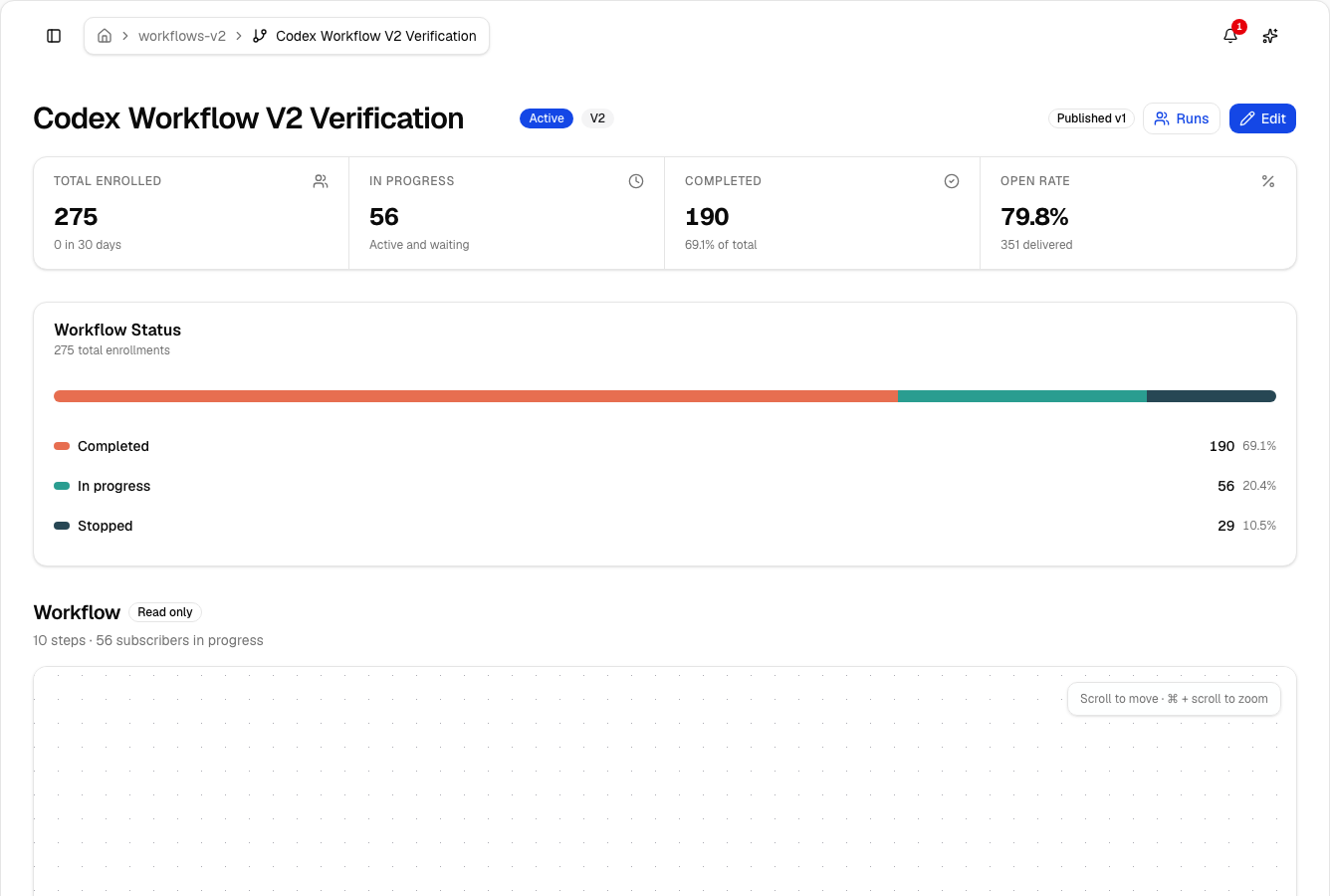
Lumail's workflow engine is graph-based and included on every plan: subscriber, tag, event, schedule, and manual triggers; email, wait, action, and webhook steps; condition and weighted branches; goals and exit rules. The same workflows are readable from the app, MCP tools, CLI, SDK, and API, so an agent can answer "why did this person get that email?" by tracing the actual run.
Transactional email is Mailgun's core product, and it is very good at it. Lumail sends transactional email through its REST API or SMTP relay at smtp.lumail.io:587 with STARTTLS, in the same organization as your newsletters. One domain setup, one subscriber database, one place to debug delivery.
Migrating from Mailgun to Lumail
Mailgun holds your mailing lists and suppressions, so start there.
- Export lists and suppressions. Export mailing-list members plus bounces, unsubscribes, and complaints. Import the suppressions too; they protect your sender reputation.
- Authenticate your sending domain. Set up SPF and DKIM in Lumail and verify the domain. Keep Mailgun live while DNS propagates.
- Rebuild one sequence as a workflow. Recreate the welcome or onboarding logic from your code as a graph, then test it with a few subscribers.
- Move transactional sending, or not. Point app email at Lumail's API or SMTP, or keep Mailgun for app email and inbound routing and move only the newsletter.
- Send one campaign and connect your agents. Send to a consented segment, check rendering and links, then run one real task through MCP.
Frequently asked questions
Is Lumail a Mailgun alternative?
Yes, if you want newsletters, graph workflows, and transactional email in one organization agents can operate. If you only need a sending API with inbound routing, Mailgun is the better fit.
Is Lumail cheaper than Mailgun?
Often, once volume grows. At 105,000 emails a month, Mailgun Scale is about $95.50 and Lumail Premium is $59. At 10,000 emails, Mailgun Basic at $15 is cheaper than Lumail's $20.
What is the main difference between Lumail and Mailgun?
Mailgun is email infrastructure you send through from code. Lumail is the email platform itself, with a visual editor, graph workflows, subscribers, and 89 MCP tools.
Can I migrate from Mailgun to Lumail?
Yes. Export list members and suppressions, authenticate your domain, rebuild sequences as workflows, and point sends at Lumail. Many teams keep Mailgun for inbound and app email.
Which one should you choose?
Choose Mailgun if email is a feature of your application and your engineers want an API, SMTP, inbound parsing, and dedicated IPs, with no marketing interface in the way.
Choose Lumail if email is a channel you run: campaigns and workflows your team can see, transactional email on the same domain, a lower price per extra email, and 89 MCP tools your agents can use today.
You can start Lumail free with 3,000 emails per month and no credit card, review the pricing plans, or browse the full comparison hub. Comparing more than two tools? See the best Mailgun alternatives.