Lumail vs Moosend: Which Email Platform Fits How You Work?
Moosend prices by contacts with unlimited sends; transactional email is an add-on. Lumail bills by emails sent, with transactional email and agent access.
In this guide
Moosend is a low-cost email marketing and automation tool priced by contacts with unlimited sends; Lumail is an email platform priced by emails sent, with transactional email and AI-agent access built in. Both run campaigns, visual automations, and signup forms. Moosend is cheap for small lists you email often. Lumail is built for large lists, product email, and agents.
Moosend sells itself as a simpler, cheaper alternative to Mailchimp, with landing pages, forms, and ecommerce tracking in one tool. Lumail is built for teams whose email work runs through assistants, terminals, and product code as much as through a visual editor. Moosend facts here come from its official pricing page as of August 2026; plans change, so check before you buy. For the compact version, see the side-by-side comparison table.
Lumail vs Moosend at a glance
| Decision | Lumail | Moosend |
|---|---|---|
| Core focus | Campaigns, workflows, transactional email, and AI agents | Affordable email marketing, automation, and landing pages |
| Pricing basis | Emails sent; unlimited subscribers on every plan | Unique contacts with unlimited sends, or prepaid credits |
| Free plan | 3,000 emails per month, no credit card | None; 30-day trial with 1,000 contacts |
| Paid entry | Premium at $20/month with 40,000 emails | Pro at $9/month for 500 contacts |
| AI and developer access | 89 MCP tools, CLI, TypeScript SDK, REST API | In-app AI Writer and REST API; no MCP server or CLI |
| Automation | Graph workflows on every plan | Visual workflows with ecommerce recipes on Pro |
| Transactional email | Built in through the API or SMTP | Add-on or Enterprise only, not included in Pro |
| Best fit | Teams running email through agents, code, and a visual app | Small stores and businesses that email a modest list often |
Lumail's current plans are on the Lumail pricing page.
Choose Lumail if AI agents should operate your email
Moosend's AI lives in the editor: an AI Writer for campaigns, landing pages, and forms, and product recommendations on Pro. Developers get a REST API for lists, subscribers, and campaigns, but there is no official MCP server, ChatGPT app, CLI, or maintained TypeScript SDK.
Lumail exposes 89 organization-scoped MCP tools covering campaigns, subscribers, tags, segments, workflows, templates, analytics, and transactional sending. The same operations run in ChatGPT, Claude, Claude Code, and Cursor, and through a CLI, a TypeScript SDK, and a REST API. An agent works on your real audience and workflow state.
In practice you can ask an assistant to:
- draft next week's campaign from a brief and your existing template;
- segment subscribers by tag or engagement before a targeted send;
- build a workflow graph and explain why a subscriber took a branch;
- send a receipt or password reset from your product.
Choose Lumail if you keep a large list but email it selectively, or if you need transactional email without buying an add-on.
Choose Moosend if you want cheap unlimited sends
Moosend's pricing is hard to beat for a small list that hears from you a lot, and it packs useful ecommerce features into that price.
Choose Moosend if:
- you have a small or mid-size list you email heavily, and want unlimited sends from $9 a month;
- you want landing pages, forms, website tracking, and cart-abandonment recipes in one cheap tool;
- you send seasonally and prefer prepaid credits at $1 per 1,000 emails that never expire.
Lumail does not offer ecommerce tracking or product recommendations. Its focus is the email system: audiences, workflows, delivery, and agent access.
Compare the pricing models, not the starting prices
Moosend Pro charges by unique contacts, each counted once across lists, with unlimited campaign sends. Paying every six months saves 15%, and paying yearly saves 20%. Nonprofits get 25% off. There is also a pay-as-you-go option: credits at $1 per 1,000 emails, which never expire, with unlimited contacts.
A few reference points from Moosend's published monthly Pro prices:
- 500 contacts: $9 a month;
- 10,000 contacts: $88 a month;
- 25,000 contacts: $160 a month.
Lumail charges by emails sent and never by stored contacts:
- Free: 3,000 emails per month, no credit card;
- Premium: $20/month with 40,000 emails included, then $0.60 per 1,000;
- Business: $200/month with 400,000 emails included, then $0.40 per 1,000.
A worked example
Say you have 10,000 contacts and send two campaigns a month to the full list, so 20,000 emails.
On Lumail, that is Premium: $20 a month, with room for 20,000 more emails before any overage.
On Moosend, 10,000 contacts costs $88 a month on Pro, and you could send as much as you like. Transactional email would be extra.
Now flip it. A 500-contact list emailed every day is about 15,000 emails a month. That is $9 on Moosend and $20 on Lumail Premium. Moosend's model wins for small lists you email constantly; Lumail's wins once the list grows faster than your sending.
Compare automation and transactional email
Moosend's workflow builder is capable. It supports multiple triggers, conditions, And/Or logic, merged paths, and ready-made recipes for cart abandonment, onboarding, birthdays, and upsells. Website tracking can start a workflow when someone views a product or abandons a cart. The trial allows one published workflow; Pro unlocks multi-step workflows.
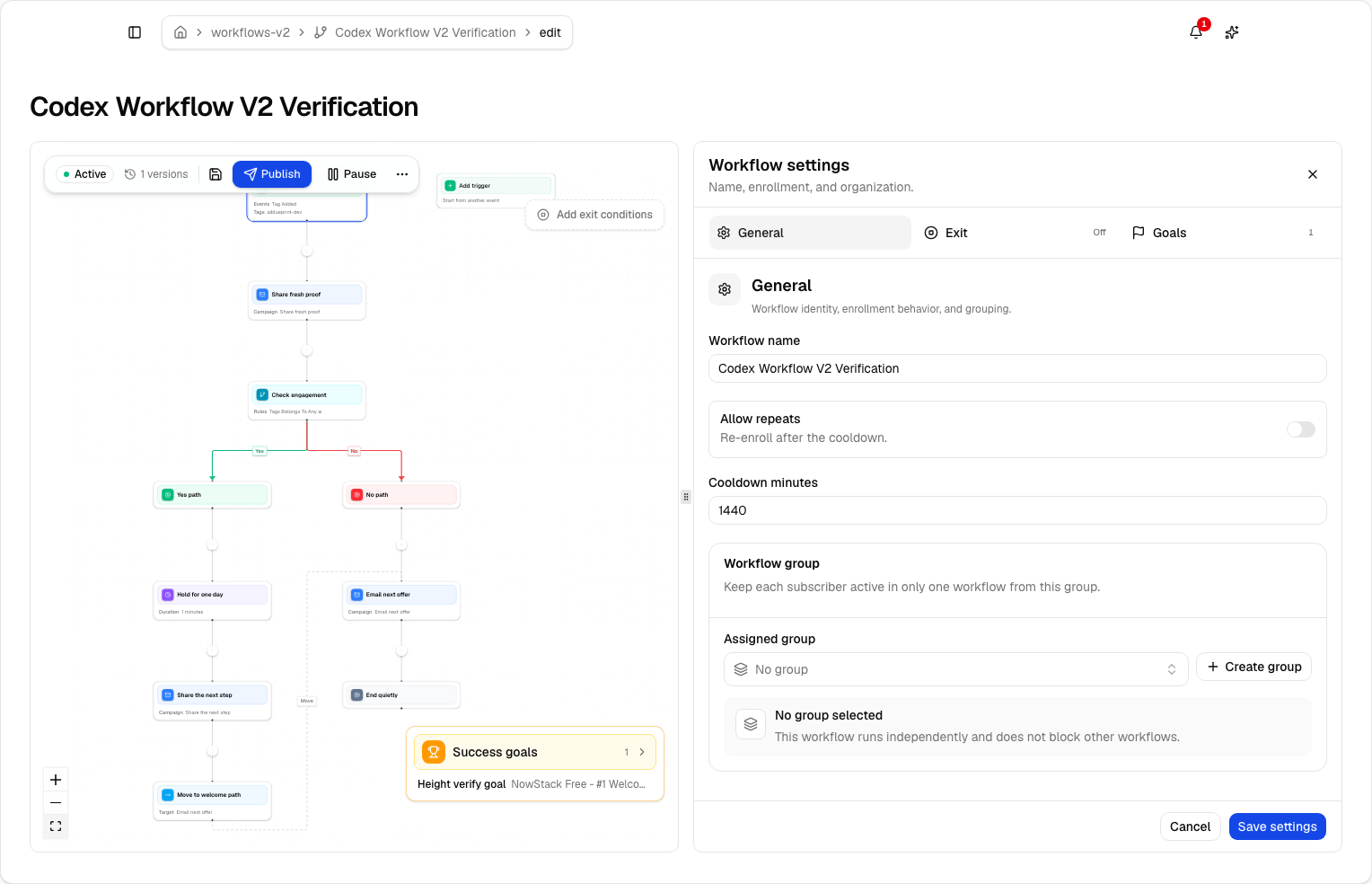
Lumail's workflow engine is graph-based and included on every plan, including Free. It supports subscriber, tag, event, schedule, and manual triggers; email, wait, action, and webhook steps; condition and weighted branches; and goals and exit rules. Agents can read and edit the same graphs through MCP, the CLI, the SDK, and the API.
Transactional email is where the plans diverge. Moosend's transactional email feature is not included in Pro; it is a paid add-on on Moosend+ or part of Enterprise, and the add-on price is not published. Lumail sends transactional email through the REST API or smtp.lumail.io:587 with STARTTLS on every plan, in the same organization as your campaigns.
Migrating from Moosend to Lumail
- Export subscribers and suppressions. Export contacts with their custom fields, plus unsubscribes and bounces, and import the suppressions into Lumail first.
- Authenticate your sending domain. Set up SPF, DKIM, and DMARC for Lumail and verify the domain while Moosend keeps sending.
- Rebuild workflows as graphs. There is no workflow importer, so recreate your most valuable recipe, such as onboarding, and test it with a few addresses.
- Replace forms and landing pages. Recreate subscription forms and landing pages as Lumail capture pages, then update your site links.
- Move transactional sending. If you send product email through Moosend, point your app at Lumail's API or SMTP once the domain is verified.
Frequently asked questions
Is Lumail a Moosend alternative?
Yes, for campaigns, automations, and transactional email. Moosend is a contact-priced tool with unlimited sends and ecommerce recipes; Lumail bills by emails sent and adds transactional email and 89 MCP tools on every plan.
Is Lumail cheaper than Moosend?
It depends on list size versus sending. At 10,000 contacts Moosend Pro is $88 a month, while Lumail Premium covers 40,000 emails for $20. A 500-contact list emailed daily is cheaper on Moosend at $9.
What is the main difference between Lumail and Moosend?
Moosend prices by contacts, includes unlimited sends, and sells transactional email as an add-on. Lumail prices by emails sent, includes transactional email and graph workflows on every plan, and lets agents operate the account.
Can I migrate from Moosend to Lumail?
Yes. Export subscribers and suppressions, authenticate your domain, rebuild workflows as Lumail graphs, and switch transactional sending to Lumail's API or SMTP.
Which one should you choose?
Choose Moosend if you run a small store or business with a modest list you email often, and you want cheap unlimited sends with ecommerce recipes built in.
Choose Lumail if your list is large or growing, your product needs transactional email without an add-on, or you want agents to operate campaigns and workflows through 89 MCP tools.
You can start Lumail free with 3,000 emails per month and no credit card, review the pricing plans, or browse the full comparison hub.