Affiliate Program
Create your Lumail referral link and understand Creator, Pro, and Business rewards
Lumail's affiliate program rewards you when an organization you referred becomes a paying customer:
- Creator: €50 after the subscription has remained active for two months.
- Pro: €150 after the subscription has remained active for two months.
- Business: €200 as soon as the subscription becomes active, with no two-month waiting period.
The referral belongs to your Lumail user account, so you keep the same link across every organization you manage.
Quick start
- Open Account → Affiliate.
- Enter a personal ref such as
your-nameand select Save and get link. - Copy the generated URL, for example
https://lumail.io?ref=your-name. - Share that URL directly, or connect the same ref to an organization's Email sent by Lumail badge.
Your ref must be unique across Lumail. It can contain up to 32 lowercase letters, numbers, or hyphens. Lumail converts uppercase letters to lowercase automatically.
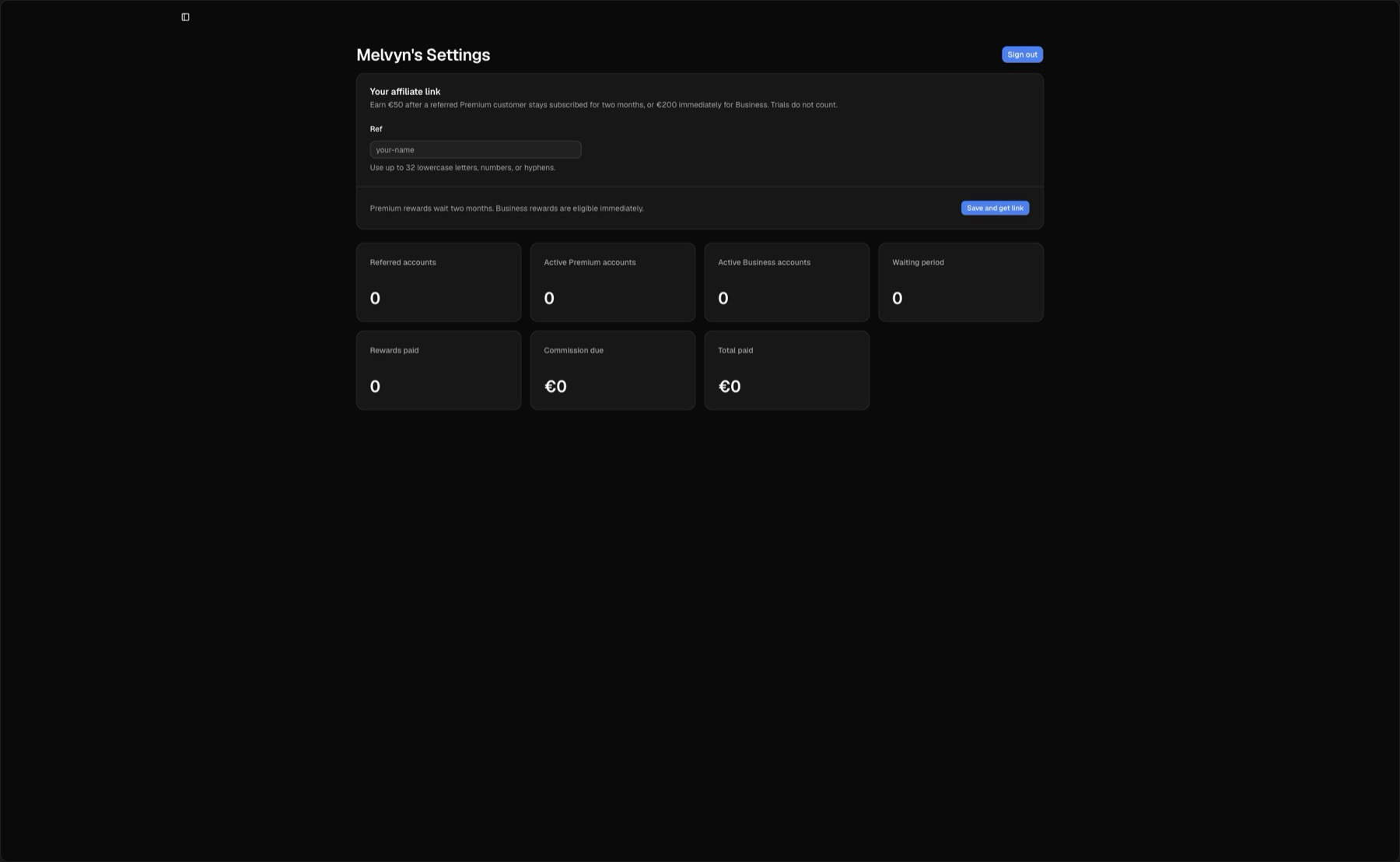
Your personal link and all referral, plan, waiting-period, due, and paid metrics live on the same page.
The ref belongs to the user
An affiliate ref is attached to a user, not to an organization. This distinction keeps attribution and payouts stable when you belong to several organizations.
- Your user owns the ref and affiliate dashboard.
- A referred organization stores the user who introduced it.
- An organization's Lumail badge can be connected to one user's ref.
- Rewards are credited to that user, regardless of which Lumail organization they currently have open.
Use Account → Affiliate as the canonical place to create, change, copy, or remove your personal ref.
How attribution works
When someone opens your referral URL, Lumail stores the ref in a secure, HTTP-only cookie for 60 days. The cookie survives navigation to signup and onboarding.
Attribution follows these rules:
- Lumail keeps valid referral candidates in first-touch order.
- When the visitor creates an organization, Lumail credits the first valid affiliate who is not the visitor themselves.
- Self-referrals are ignored.
- During onboarding, the new customer can confirm the suggested creator, choose another creator from the searchable list, or say that nobody listed referred them.
- The final attribution is stored on the created organization.
Creating additional organizations while the referral cookie is still valid can attribute those organizations too. Each organization is tracked separately and can produce at most one reward.
What the affiliate dashboard shows
Open Account → Affiliate to see:
| Metric | Meaning |
|---|---|
| Referred accounts | Organizations currently attributed to your user |
| Active Creator accounts | Referred organizations with an active eligible Creator subscription |
| Active Pro accounts | Referred organizations with an active eligible Pro subscription |
| Active Business accounts | Referred organizations with an active Business subscription |
| Waiting period | Creator and Pro rewards that have not reached the two-month payment date |
| Rewards paid | Conversions whose transfer has been recorded as paid |
| Commission due | Eligible unpaid rewards: €50 Creator, €150 Pro, or €200 Business |
| Total paid | Sum of the affiliate payouts already recorded for you |
Counts update from the current organization and subscription state. A trial does not start the Creator or Pro two-month countdown.
What is not tracked yet
The affiliate dashboard does not currently show referral-link visits or unique visitors. Tracking begins in the dashboard once an organization is created and attributed. Account creation, active Creator, Pro, and Business plans, commission due, and completed payouts are tracked.
Reward rules
The current program is deliberately simple:
- €50 once for each referred organization that keeps Creator active for two months.
- €150 once for each referred organization that keeps Pro active for two months.
- €200 once for each referred organization that activates Business. It is payable immediately.
- Trials do not count. The Creator and Pro countdown starts when the paid subscription becomes active.
- A single organization cannot be paid twice, even if an administrator retries the action.
- The reward is tied to the organization attribution recorded by Lumail.
The dashboard records the amount due, but it does not automatically send money. A Lumail administrator completes the transfer, then records it as paid.
Reward examples
Example 1: Creator completes the waiting period
Alex follows https://lumail.io?ref=maya, creates an organization, and activates Creator on March 12 after the trial.
- March 12: the organization appears under Active Creator accounts.
- March 12 to May 11: the reward appears under Waiting period.
- May 12: €50 moves into Commission due.
- After the transfer: the admin marks it paid, Rewards paid increases by one, and Total paid increases by €50.
Example 2: Business is immediate
Sam follows Maya's link and activates Business on June 4.
- June 4: the organization appears under Active Business accounts.
- The €200 reward appears in Commission due immediately.
- There is no two-month waiting period.
Example 3: a trial does not qualify
Taylor creates an attributed organization and starts a Creator trial, but cancels before paying. The organization is still a referred account, but no reward becomes due and the two-month countdown never starts.
Turn email badges into affiliate links
The Email sent by Lumail badge can use your ref, turning every eligible badge click into a referral visit.
From the organization:
- Open Settings → Configuration.
- Find Affiliate Ref.
- Enter your personal ref and select Save ref.
Future campaign, workflow, and confirmation email badges from that organization link to https://lumail.io?ref=your-ref.
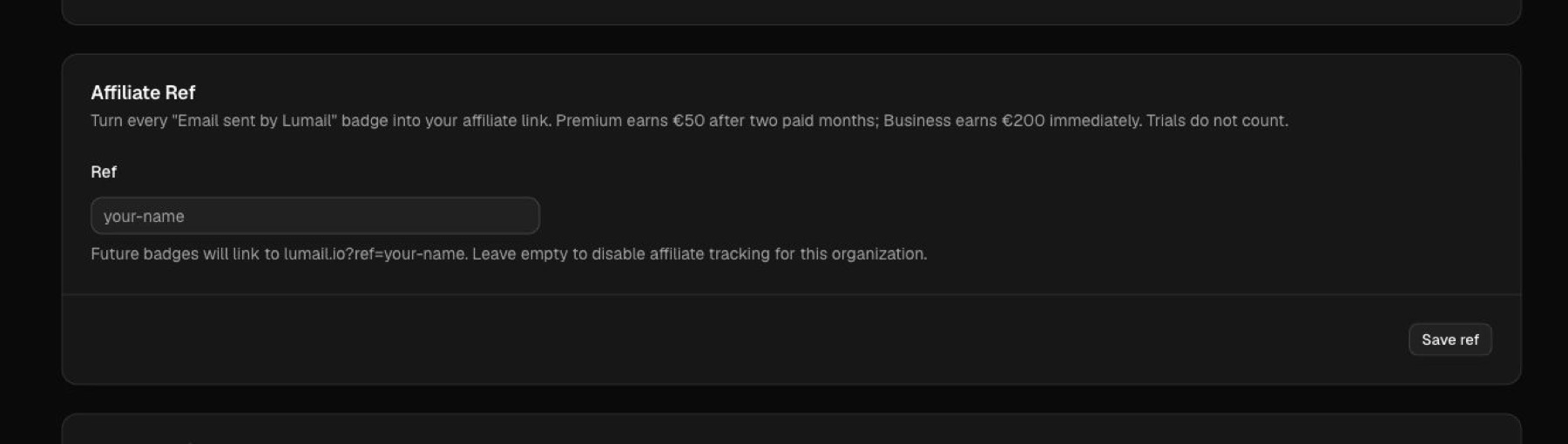
The organization setting connects future “Email sent by Lumail” badge clicks to the selected user's personal ref.
Plan behavior:
- Free organizations: the Lumail badge is always enabled. Adding a ref makes it your affiliate link.
- Paid organizations: the organization can enable or disable the badge. When enabled and connected to your ref, it becomes your affiliate link too.
Clearing Affiliate Ref in organization settings disconnects that organization's future badges. It does not remove the personal ref from your user account. To remove the ref everywhere, clear it from Account → Affiliate as well.
Onboarding confirmation
The optional How did you hear about Lumail? step protects attribution quality.
- If a valid referral cookie exists, Lumail asks the customer to confirm the creator.
- If they choose Creator or newsletter, they can search and select a creator in the combobox.
- Other answers such as YouTube, X, Google, word of mouth, or another source are stored as declared acquisition sources.
- The customer can skip the question.
This confirmation lets a customer correct a stale or incorrect referral before onboarding finishes.
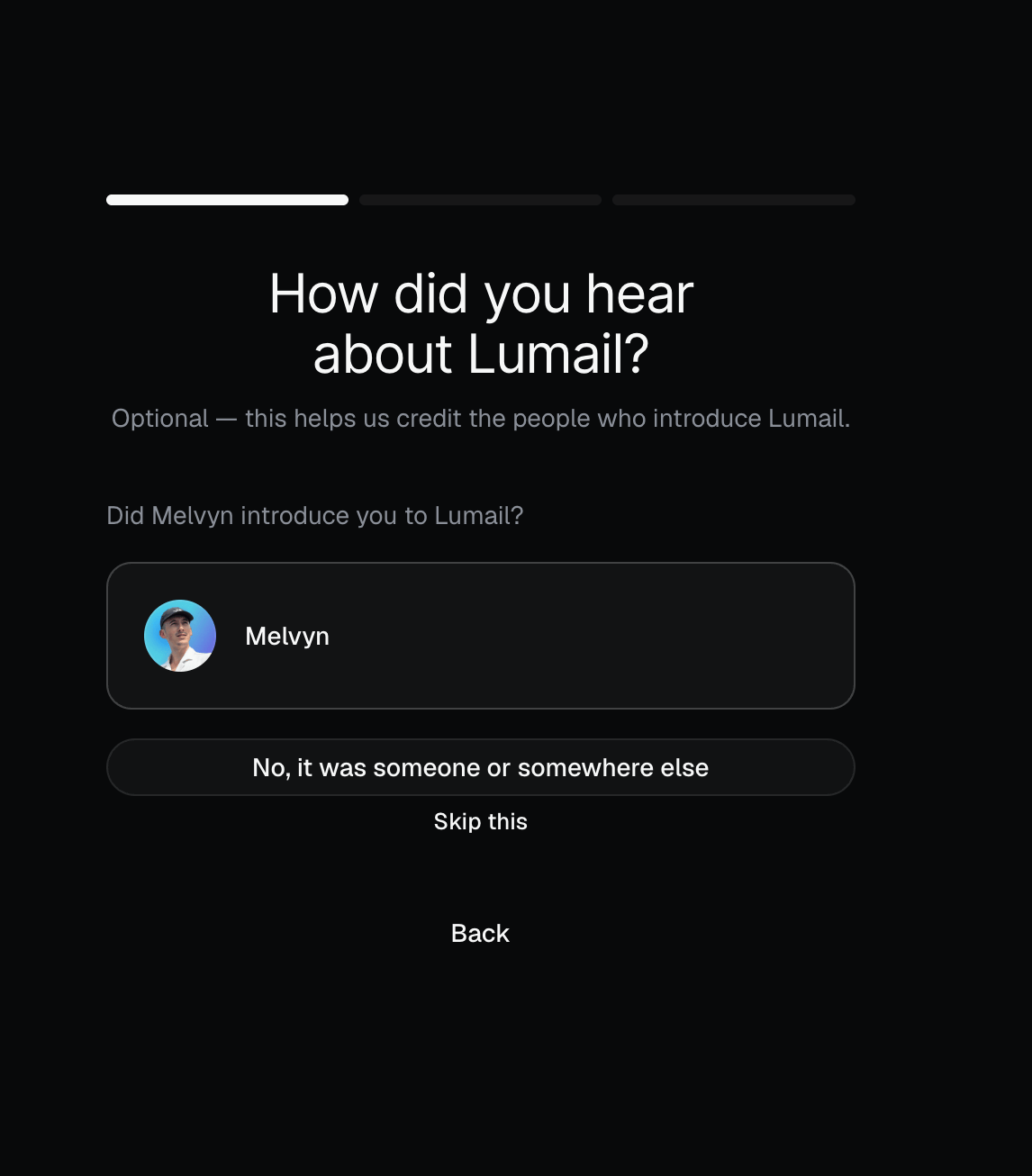
A referred customer can confirm the suggested creator or choose another source.
How payouts are recorded
Lumail administrators manage conversions from Admin → Affiliates. The page shows creators, attributed organizations, active Creator, Pro, and Business conversions, waiting periods, completed rewards, and outstanding balances.
After the external transfer is complete, an administrator selects Mark paid for the eligible organization and confirms the action. Lumail then creates an immutable payout record containing the amount, EUR currency, organization, affiliate user, administrator, and payment date.
Creator and Pro display the exact eligibility date until two months have passed. Business can be marked paid immediately. The action is idempotent: repeating it does not create a second payout. Organizations without affiliate attribution or without an eligible active subscription cannot be marked paid.
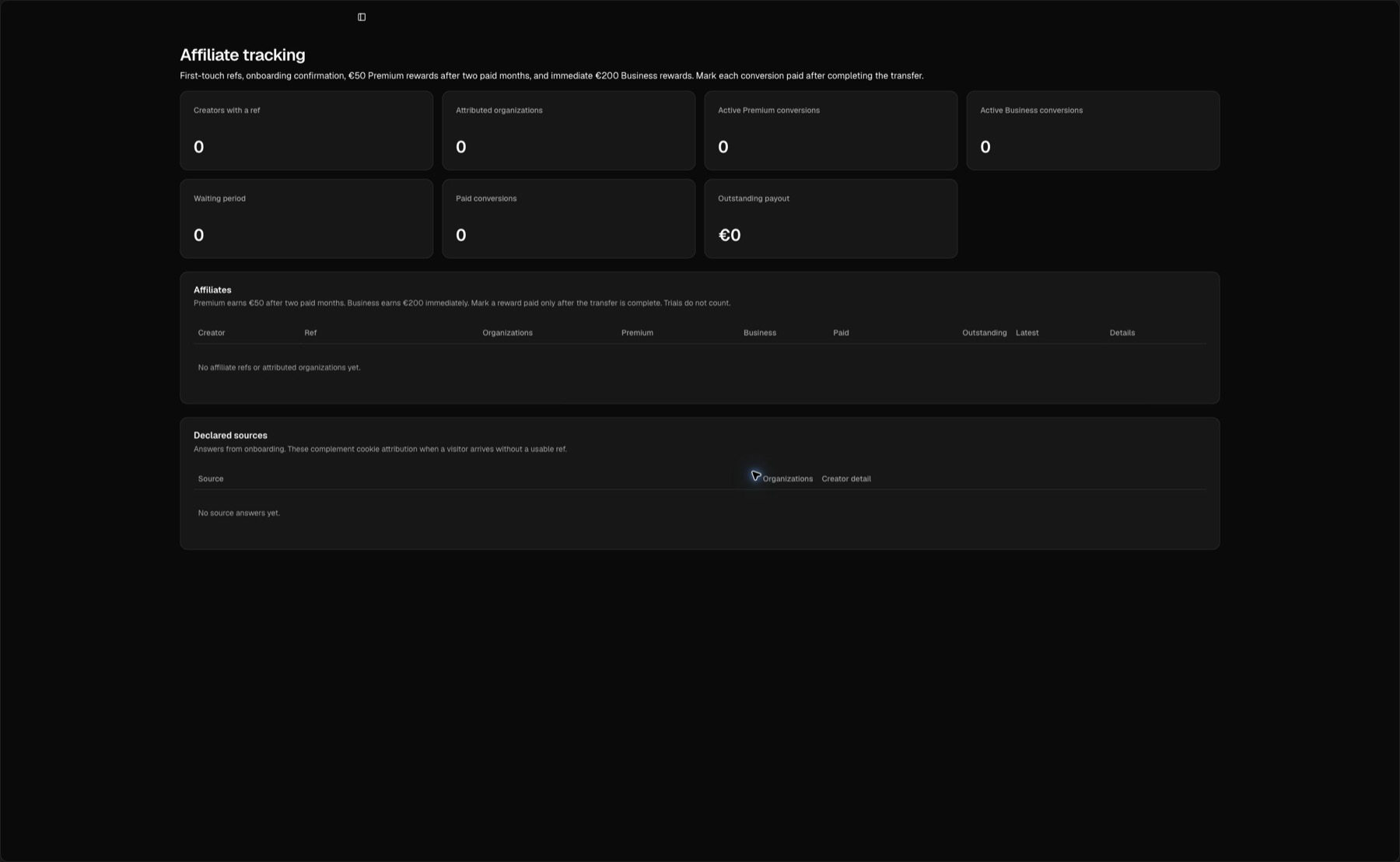
The admin sees each plan, scheduled eligibility date, amount due, and immutable paid state before confirming a transfer.
Common questions
Can two users use the same ref?
No. Refs are unique across Lumail.
Can I change my ref?
Yes. Change it from Account → Affiliate. Previously shared URLs using the old ref stop resolving to your account, so update links you still control.
Can I refer myself?
No. Lumail ignores self-referrals.
Does a free signup earn a reward?
No. The organization is counted as a referred account, but the reward becomes due only after an eligible Creator, Pro, or Business subscription is active.
Does a Creator trial earn €50?
No. Trials do not count.
When does Creator or Pro become payable?
Exactly two calendar months after the paid subscription becomes active. If Creator activates on January 31, the eligibility date is March 31; shorter destination months are clamped to their final day.
Does Business earn a reward?
Yes. An active Business conversion earns €200 immediately, without the two-month waiting period.
Why is a referred account missing?
The organization may have been created after the 60-day cookie expired, the ref may have been invalid, the visitor may have rejected or corrected the creator during onboarding, or the referral may have been a self-referral.
Related documentation
- Account Verification - How a new organization unlocks sending
- Email Sending Queue - How plan level affects sending capacity
- Revenue Tracking - Track your own subscribers' purchases inside Lumail